
 AsyaTicari
 AsyaRestoran
 AsyaOtel
 AsyaCrm
 AsyaKlinik
 AsyaSpor
 AsyaSSH
 AsyaEmlak
 AsyaFilo
 AsyaPuantaj
 AsyaİSG
 AsyaİHD
 Kolay Öğren
AsyaKlinik · Specialty screens
Admission and boarding
Cage board, admission, daily follow-up and booking the fee to the owner's account at discharge.
On the Admission and boarding screen you admit animals to cages, keep the daily temperature / weight / appetite follow-up and at discharge book nights × daily fee to the owner's account. Medication times are followed on the Drug chart screen. The screen is in the menu of companies with the Veterinary branch.
asyaklinik · /login
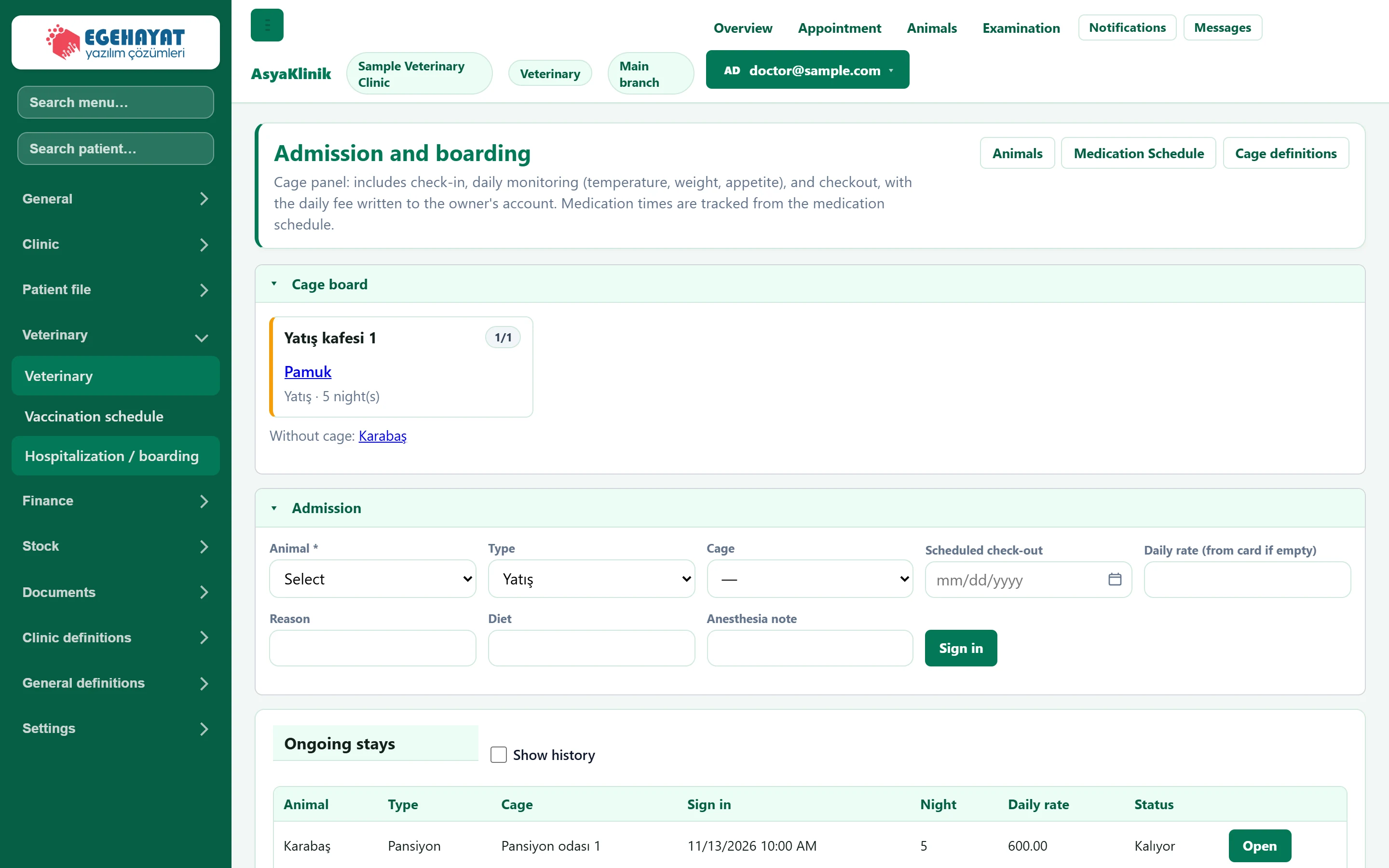
- 1Cage definitions Defines the cages (resources).
- 2Cage board Occupancy of the cages and the animal in each.
- 3Admission Admits the animal to a cage.
- 4Ongoing stays Animals staying; daily follow-up and discharge from here.
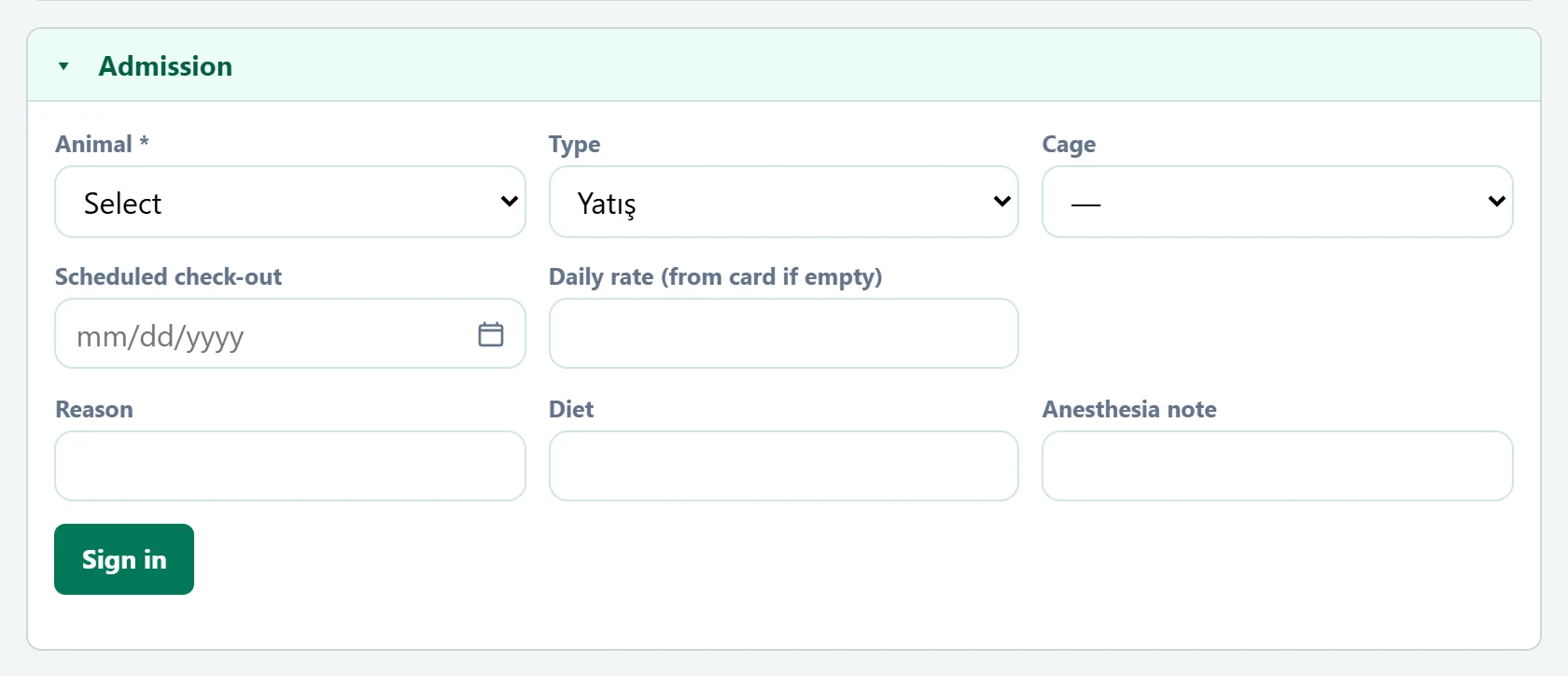
Admission
Part of the screenAdmission
| Field | Sign in | Description |
|---|---|---|
| Animal required | Choice list | Animal to admit. Required. Options: Select · Karabaş · Cem Ergüven · Minnoş · Melis Arıkan · Pamuk · Ayşe Tunalı · Tarçın · Seda Uysal · Zeytin · Barış Gökçe |
| Type | Choice list | Admission (treatment) or boarding. Options: Yatış · Pansiyon |
| Cage | Choice list | Cage to use. |
| Scheduled check-out | Text | Estimated discharge day. Placeholder: «mm/dd/yyyy» |
| Daily rate (from card if empty) | Text | Nightly fee; if empty, the price on the service card is used. At discharge nights × fee is booked to the owner's account. |
| Reason | Text | Reason for admission. |
| Diet | Text | Feeding instructions. |
| Anesthesia note | Text | Anaesthesia / operation note. |
Ongoing stays
Part of the screenOngoing stays
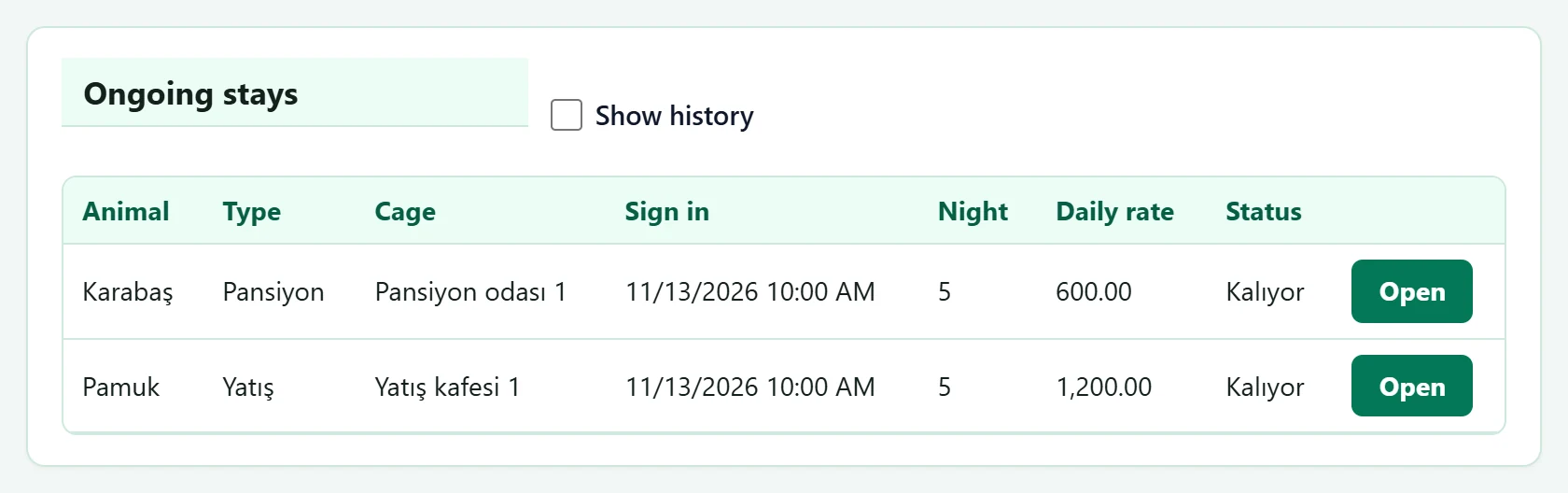
- 1Show history Also shows stays already discharged.
Common messages
| Message | Cause | Solution |
|---|---|---|
| Select an animal. | Admission without an animal. | Select the animal. |
| Check-in successful. | The admission was saved. | Information only. |
| Check-in canceled. | The stay was cancelled. | Information only. |