
 AsyaTicari
 AsyaRestoran
 AsyaOtel
 AsyaCrm
 AsyaKlinik
 AsyaSpor
 AsyaSSH
 AsyaEmlak
 AsyaFilo
 AsyaPuantaj
 AsyaİSG
 AsyaİHD
 Kolay Öğren
AsyaKlinik · Specialty screens
Orthopedics
Recording and listing region, side, injury mechanism, imaging and treatment plan.
On the Orthopedics screen you record the region and side of the complaint, how it happened, the imaging findings and the treatment plan. The screen is in the menu of companies with the Orthopedics branch; this branch also enables session packages.
asyaklinik · /login
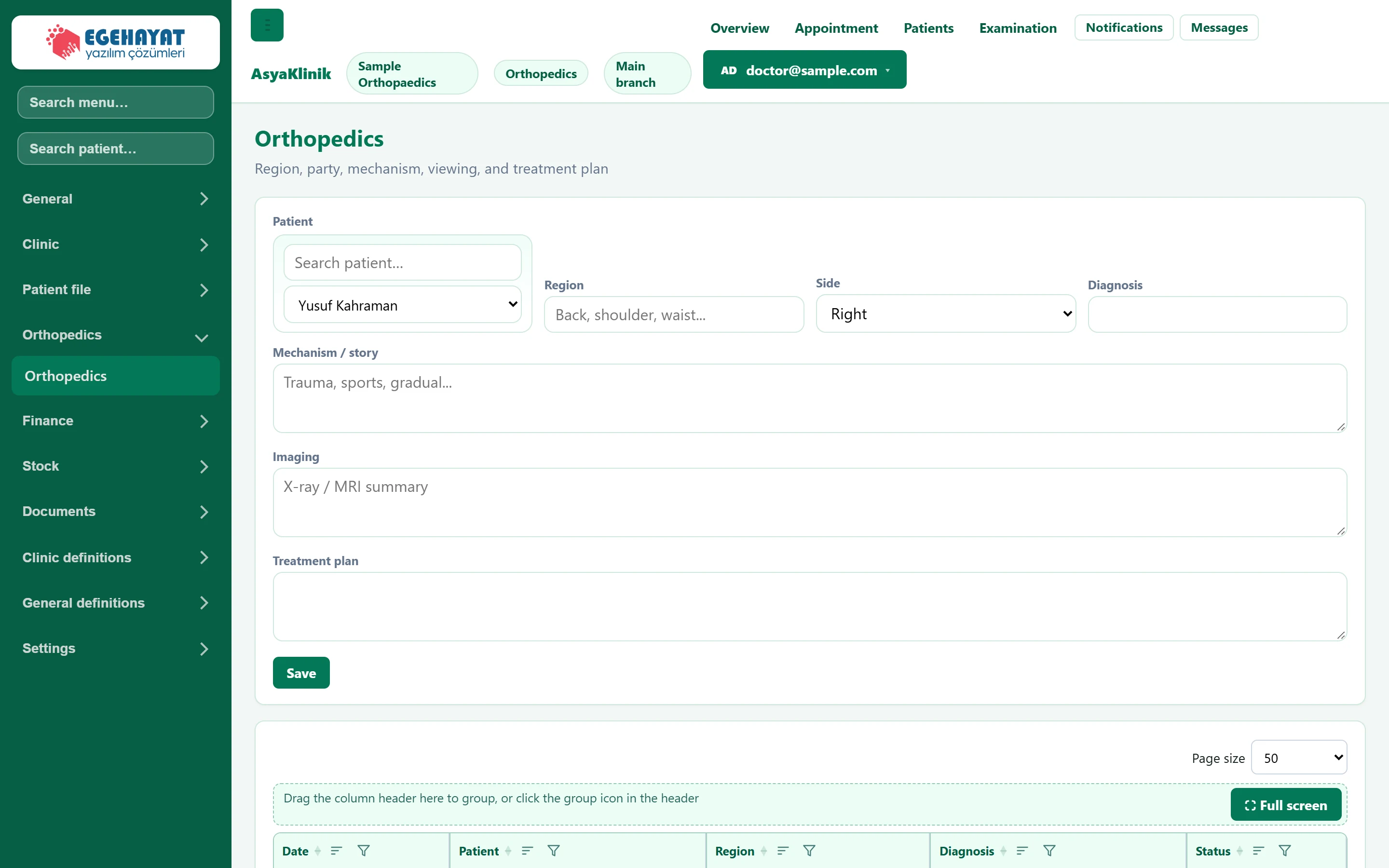
- 1Patient Patient the record is written to.
- 2Save Adds the record; it appears in the list below.
- 3Record list Patients' orthopaedic records: region, diagnosis and status.
Record form
Part of the screenOrthopaedics — record form
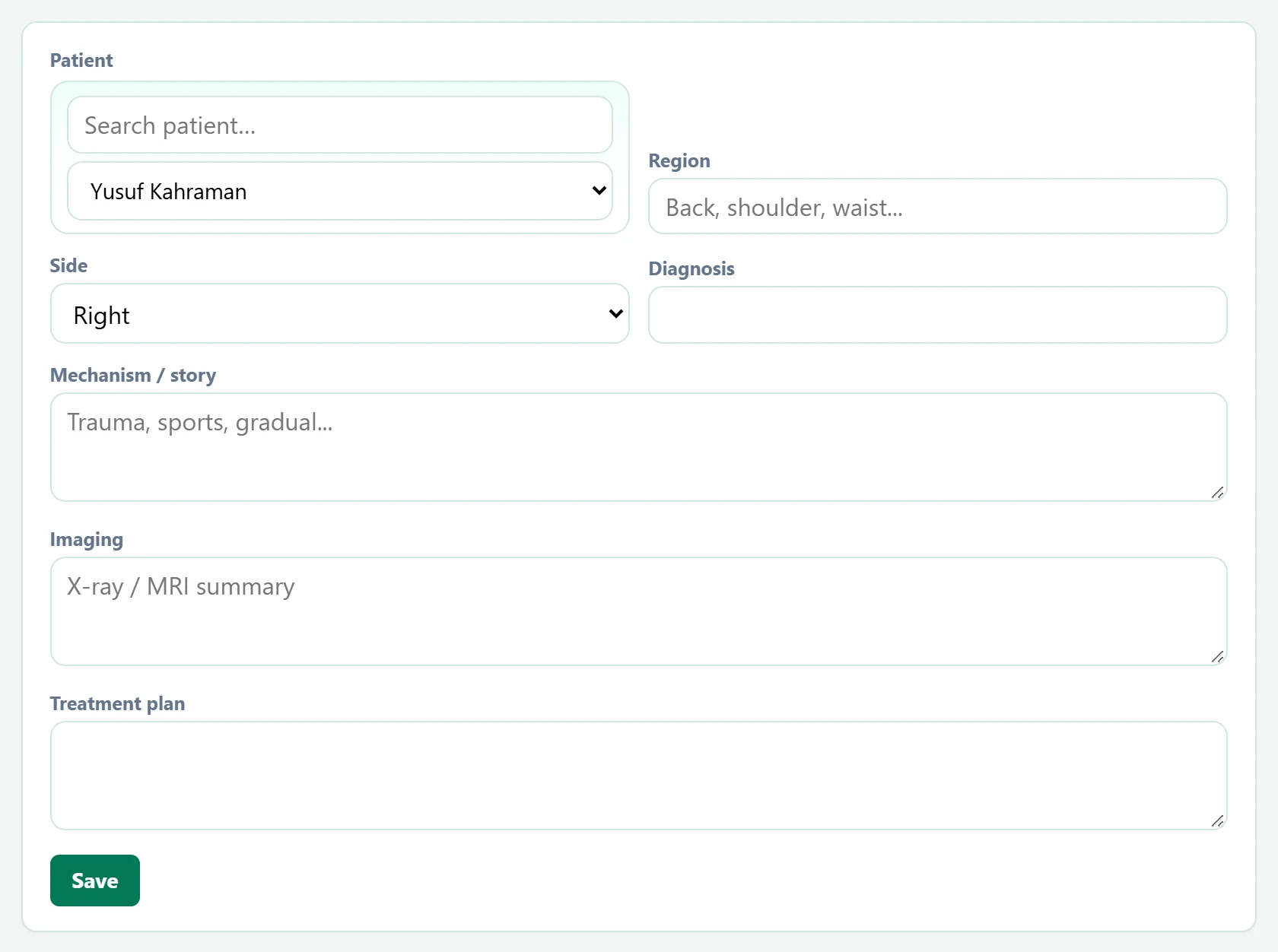
| Field | Sign in | Description |
|---|---|---|
| Patient | Search | Type a name in the top box to narrow the list, then choose the patient below. Placeholder: «Search patient…» |
| Region | Text | Region of the complaint (knee, shoulder, lower back…). Placeholder: «Back, shoulder, waist...» |
| Side | Choice list | Right, left or bilateral. Options: Right · Left · Bilateral |
| Diagnosis | Text | Diagnosis made. |
| Mechanism / story | Long text | How the injury occurred (trauma, sport, gradual…). Placeholder: «Trauma, sports, gradual...» |
| Imaging | Long text | Summary of X-ray / MRI findings. Placeholder: «X-ray / MRI summary» |
| Treatment plan | Long text | Planned treatment. |
Record list
Part of the screenOrthopaedics — record list
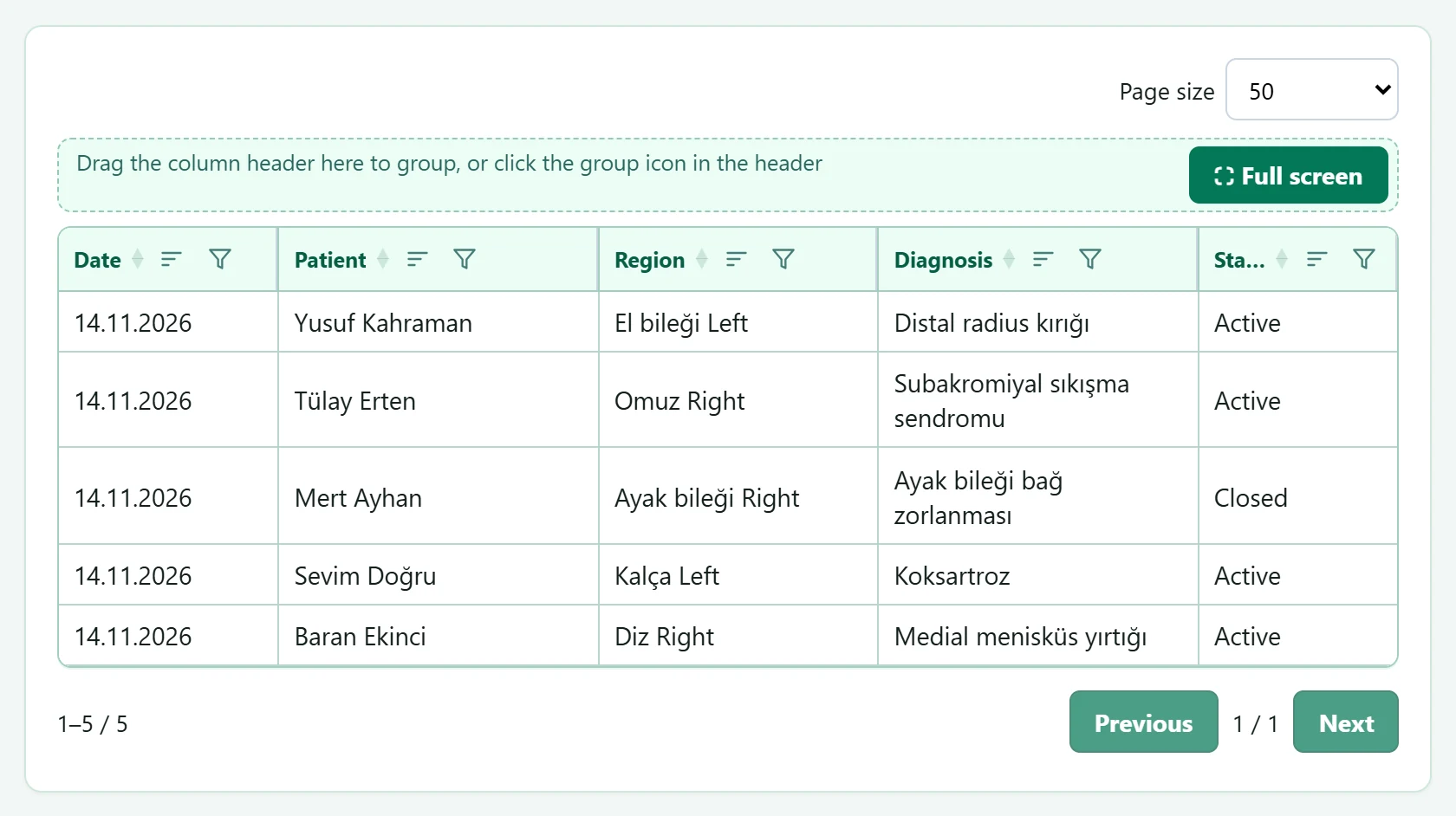
- 1Grid tools Page size, grouping and full screen.
Common messages
| Message | Cause | Solution |
|---|---|---|
| Select a patient. | Saving without a patient. | Select the patient. |
| Orthopedic record added. | The record was added. | Information only. |