
 AsyaTicari
 AsyaRestoran
 AsyaOtel
 AsyaCrm
 AsyaKlinik
 AsyaSpor
 AsyaSSH
 AsyaEmlak
 AsyaFilo
 AsyaPuantaj
 AsyaİSG
 AsyaİHD
 Kolay Öğren
AsyaKlinik · Specialty screens
Care
Care recipient profile, scores, relatives, care plan, daily tasks, incidents and monthly accrual.
The Care screen is the main screen for home and residential care: care recipients, scores (Barthel, Braden, Morse…), relatives and KVKK consent, care plan and daily tasks, incidents and monthly accrual. The screen is in the menu of companies with the Elderly / Home care branch; in this branch the word «Patient» becomes Care recipient.
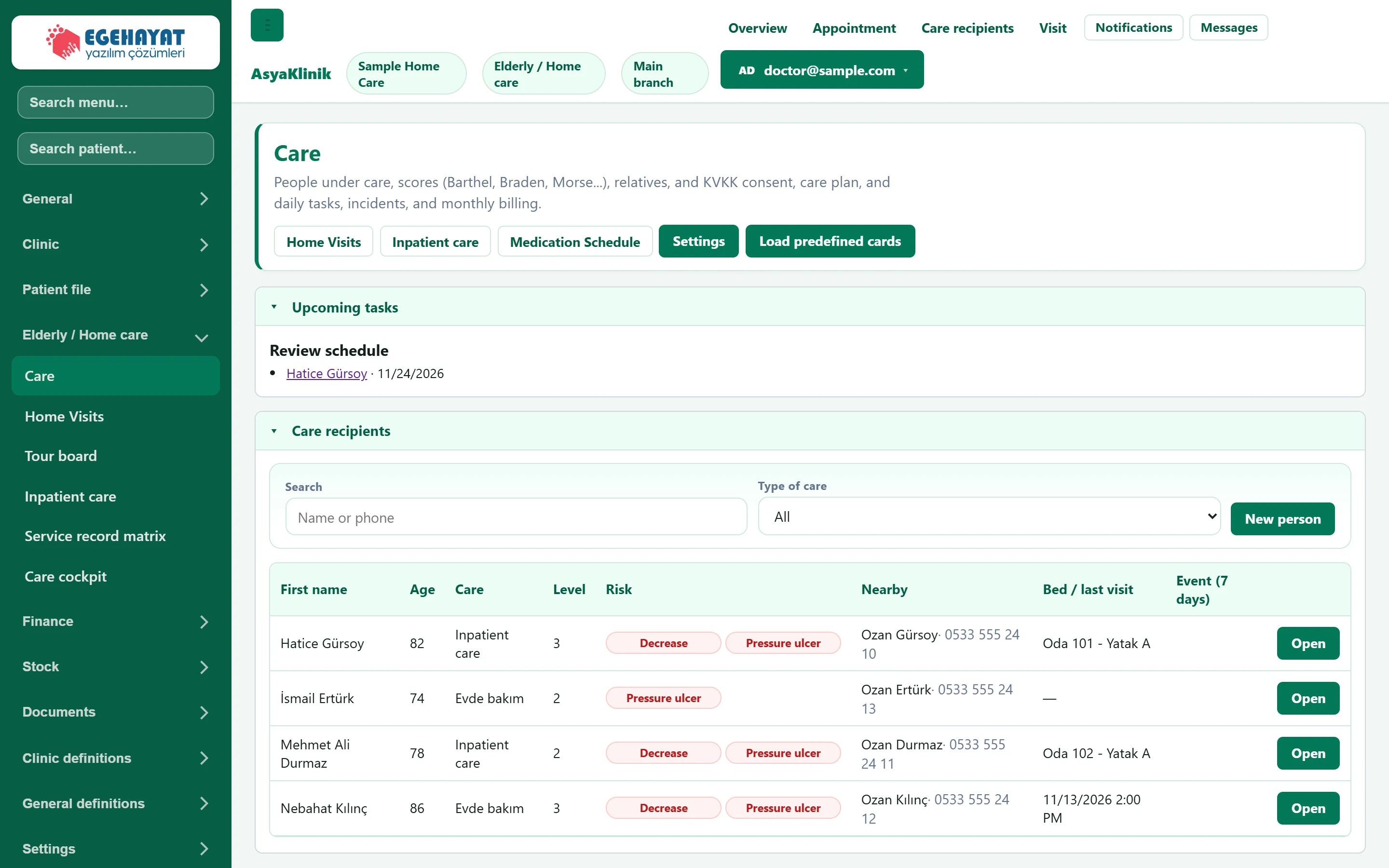
- 1Shortcuts Home visits, residential care, medication chart, branch settings and ready-made cards.
- 2Upcoming tasks Plans due for review, birthdays and consents to renew.
- 3Search Searches by name or phone; filters by care type.
- 4Open Opens the person's care profile and sub-panels.
The Open button of a person in the list opens the care profile and the other panels below.
Care profile
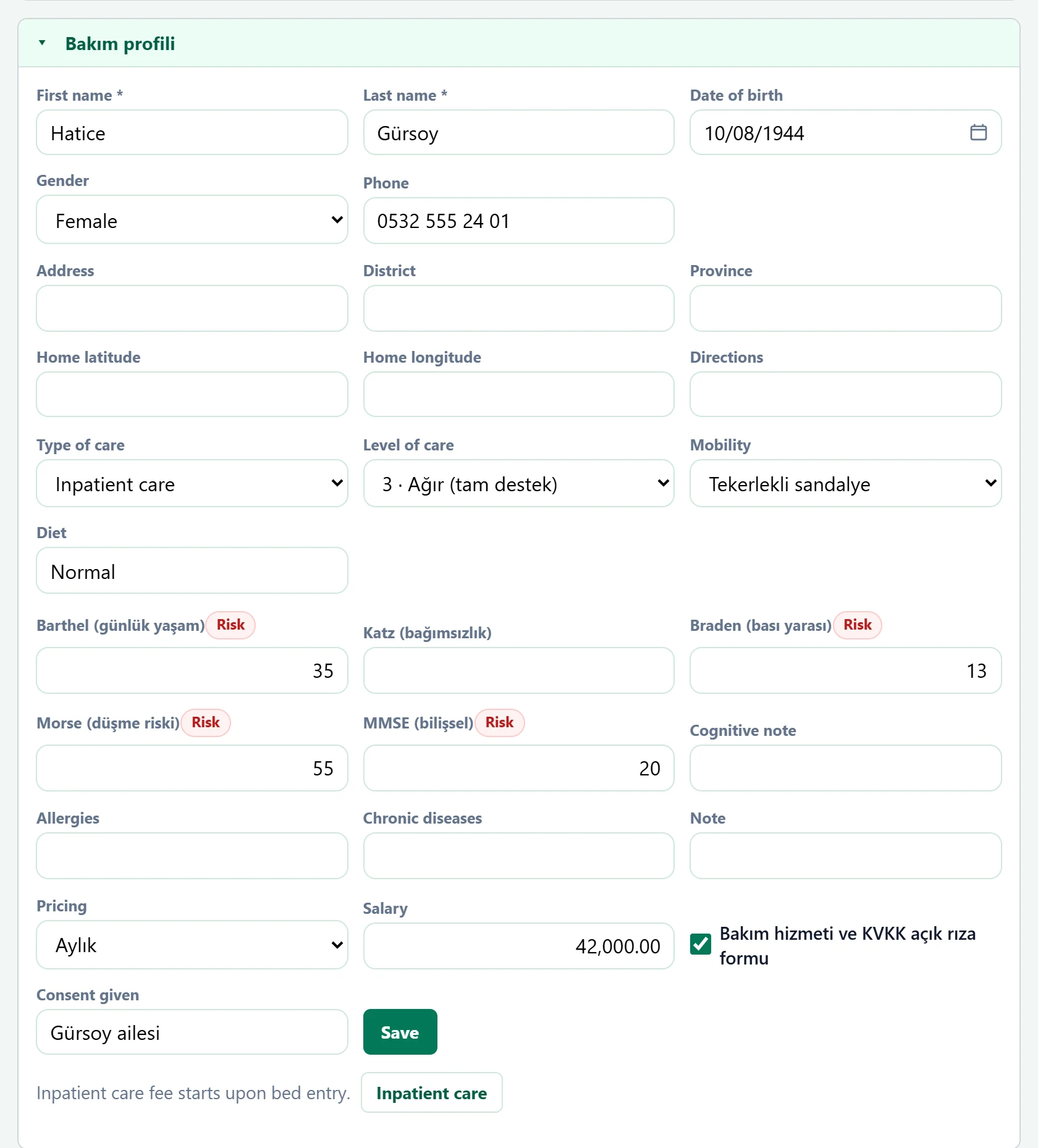
| Field | Sign in | Description |
|---|---|---|
| First name required | Text | Person's first name. Required. |
| Last name required | Text | Person's last name. Required. |
| Date of birth | Text | Date of birth; age and birthday reminders come from it. Placeholder: «mm/dd/yyyy» |
| Gender | Choice list | Sex. Options: Female · Male |
| Phone | Text | Person's phone. |
| Address | Text | Home address; used for home visits. |
| District | Text | District. |
| Province | Text | Province / city. |
| Home latitude | Text | Home location (latitude); for the check-in / check-out location check on visits. |
| Home longitude | Text | Home location (longitude). |
| Directions | Text | Directions for the caregiver. |
| Type of care | Choice list | Home care or residential care. Options: Evde bakım · Inpatient care |
| Level of care | Choice list | Level of care need. Options: 1 · Hafif (gözetim) · 2 · Orta (kısmi destek) · 3 · Ağır (tam destek) · 4 · Yatağa bağımlı |
| Mobility | Choice list | Mobility (independent, assisted, bedridden…). Options: Bağımsız · Baston · Yürüteç · Tekerlekli sandalye · Yatağa bağımlı |
| Diet | Text | Nutrition / diet information. |
| Barthel (günlük yaşam)Risk | Text | Activities of daily living score; a «Risk» badge appears below the threshold. |
| Katz (bağımsızlık) | Text | Independence score. |
| Braden (bası yarası)Risk | Text | Pressure ulcer risk score; a badge appears when at risk. |
| Morse (düşme riski)Risk | Text | Fall risk score; a badge appears when at risk. |
| MMSE (bilişsel)Risk | Text | Cognitive status score; a badge appears when at risk. |
| Cognitive note | Text | Note on cognitive status. |
| Allergies | Text | Known allergies. |
| Chronic diseases | Text | Ongoing conditions. |
| Note | Text | Other notes. |
| Pricing | Choice list | Per-visit or monthly billing. Options: Aylık · Ziyaret başı · Saatlik |
| Salary | Text | Fee amount; with monthly accrual it is booked to the account every month. |
| Bakım hizmeti ve KVKK açık rıza formu | Checkbox | Tick if consent was obtained; otherwise the list shows «no consent». |
| Consent given | Text | Person giving the consent (the person or a guardian / relative). |
For home care with monthly billing, monthly accrual is started below the profile; every month the fee is booked to the person's account.
Relatives
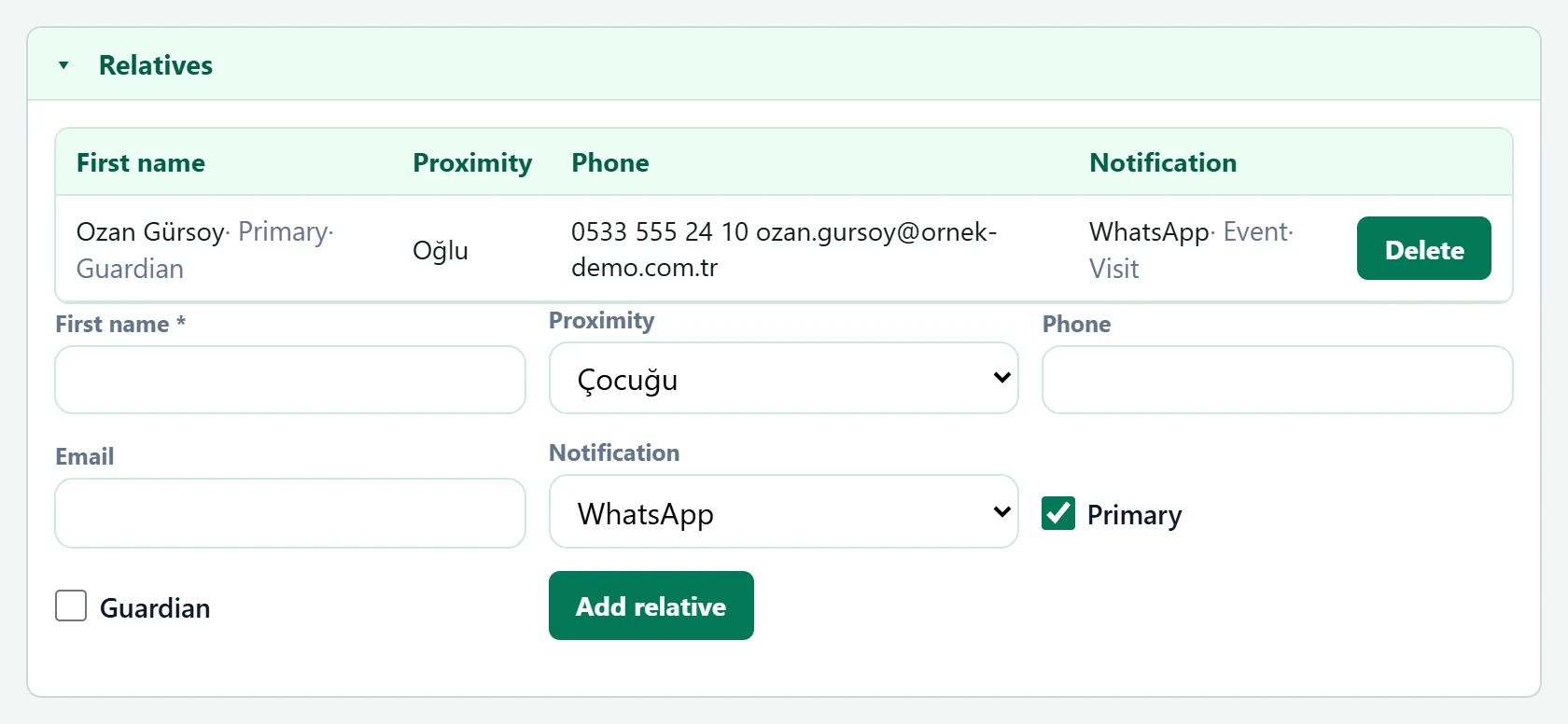
| Field | Sign in | Description |
|---|---|---|
| First name required | Text | Relative's name. Required. |
| Proximity | Choice list | Relationship to the person (daughter, son…). Options: Çocuğu · Eşi · Kardeşi · Torunu · Vasi · Other |
| Phone | Text | Relative's phone. |
| Text | Relative's e-mail. | |
| Notification | Choice list | Notification channel (SMS, e-mail, WhatsApp). Options: WhatsApp · E-posta · Phone · Bildirim yok |
| Primary | Checkbox | Primary contact person. |
| Guardian | Checkbox | Tick if legal guardian. |
Care plan
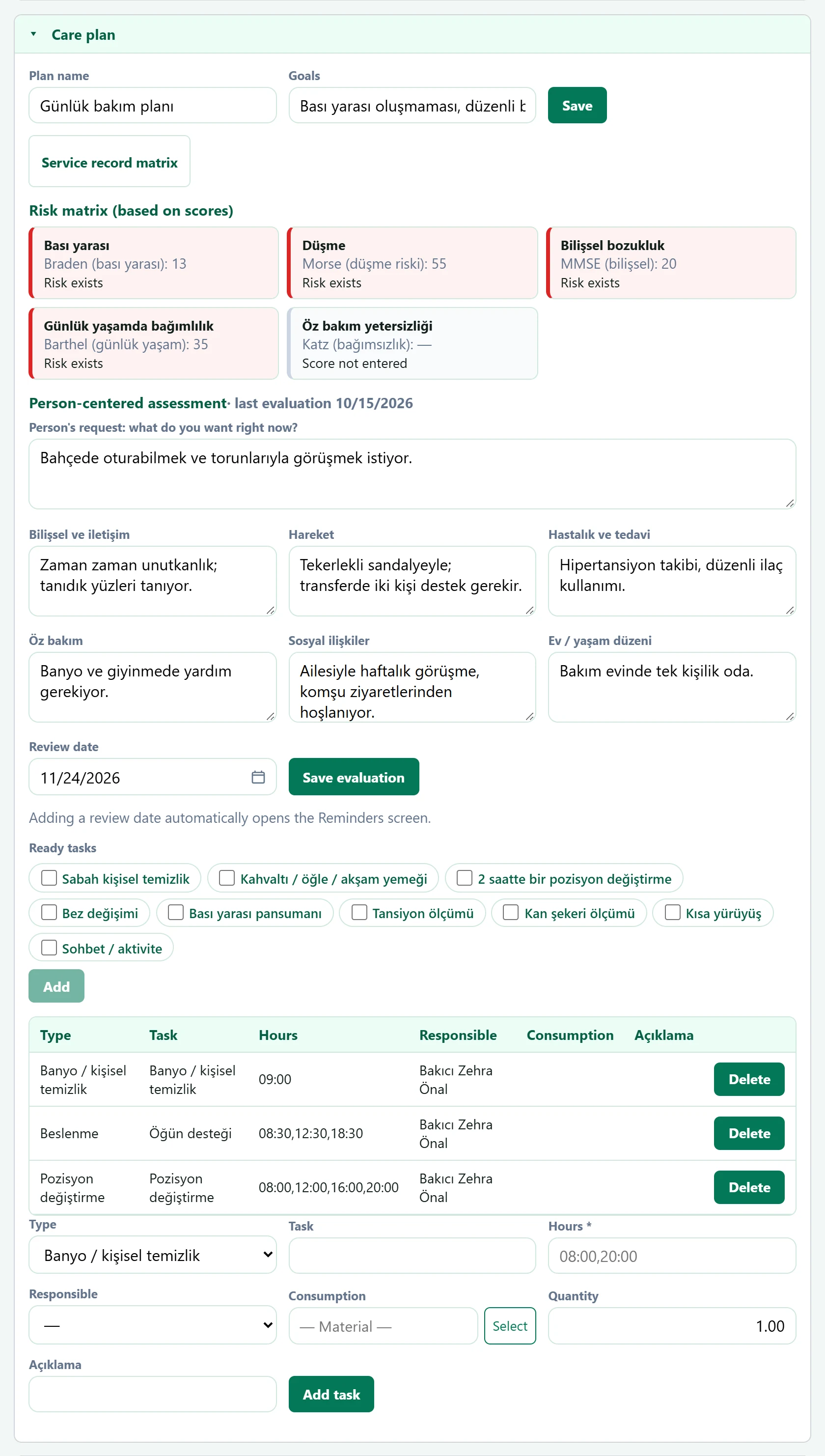
- 1Risk matrix (based on scores) Risk matrix derived from the scores.
- 2Person-centered assessment· last evaluation 10/… Person-centred assessment; a badge appears when the review date arrives.
- 3Ready-made tasks Adds the selected ready-made tasks to the plan in one go.
Below the plan the person's tasks are listed with type, times, responsible person and consumables; a new task is added with Add task.
Daily tasks
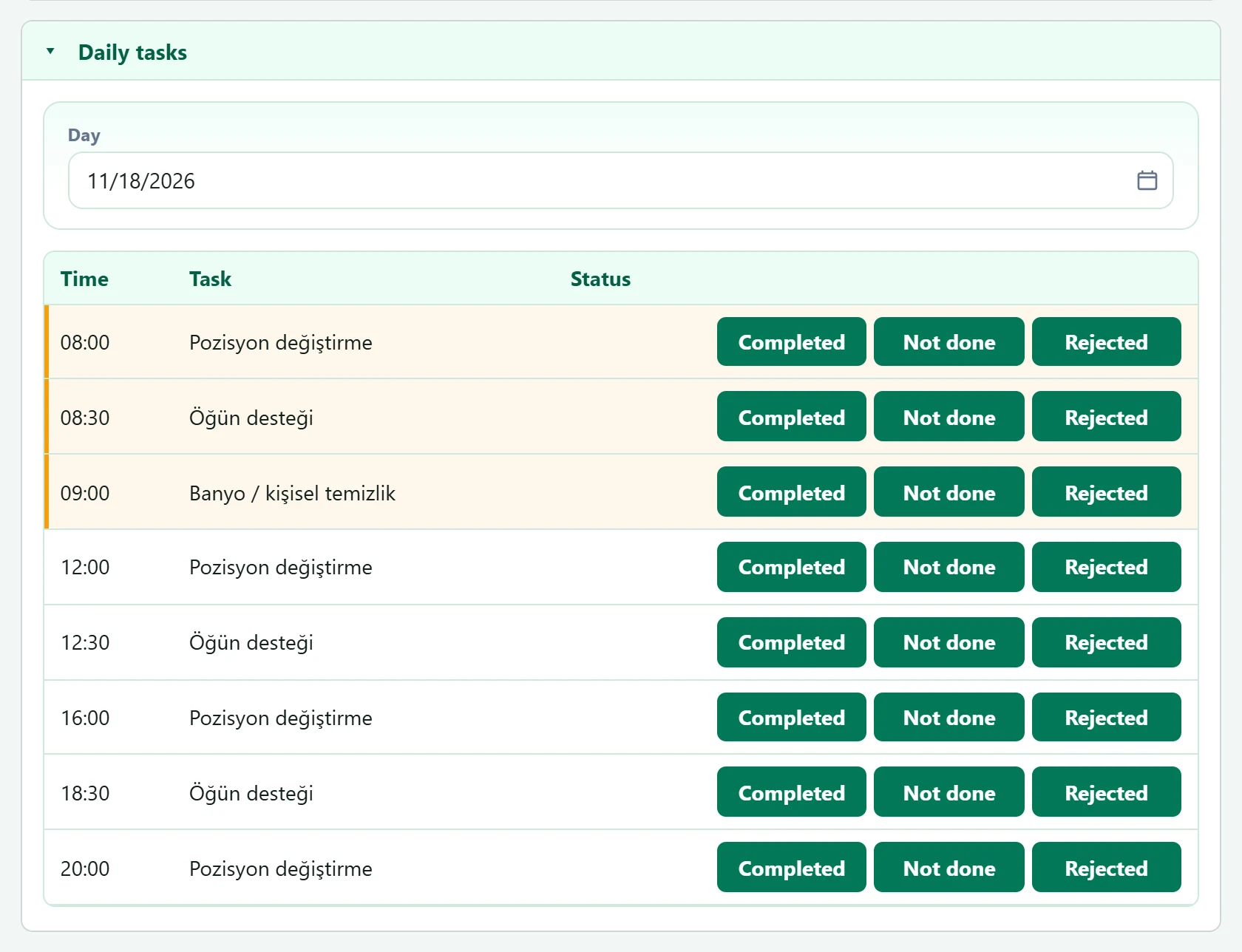
- 1Task Time, task and status; mark done / not done here and enter values for measurement tasks.
Incidents
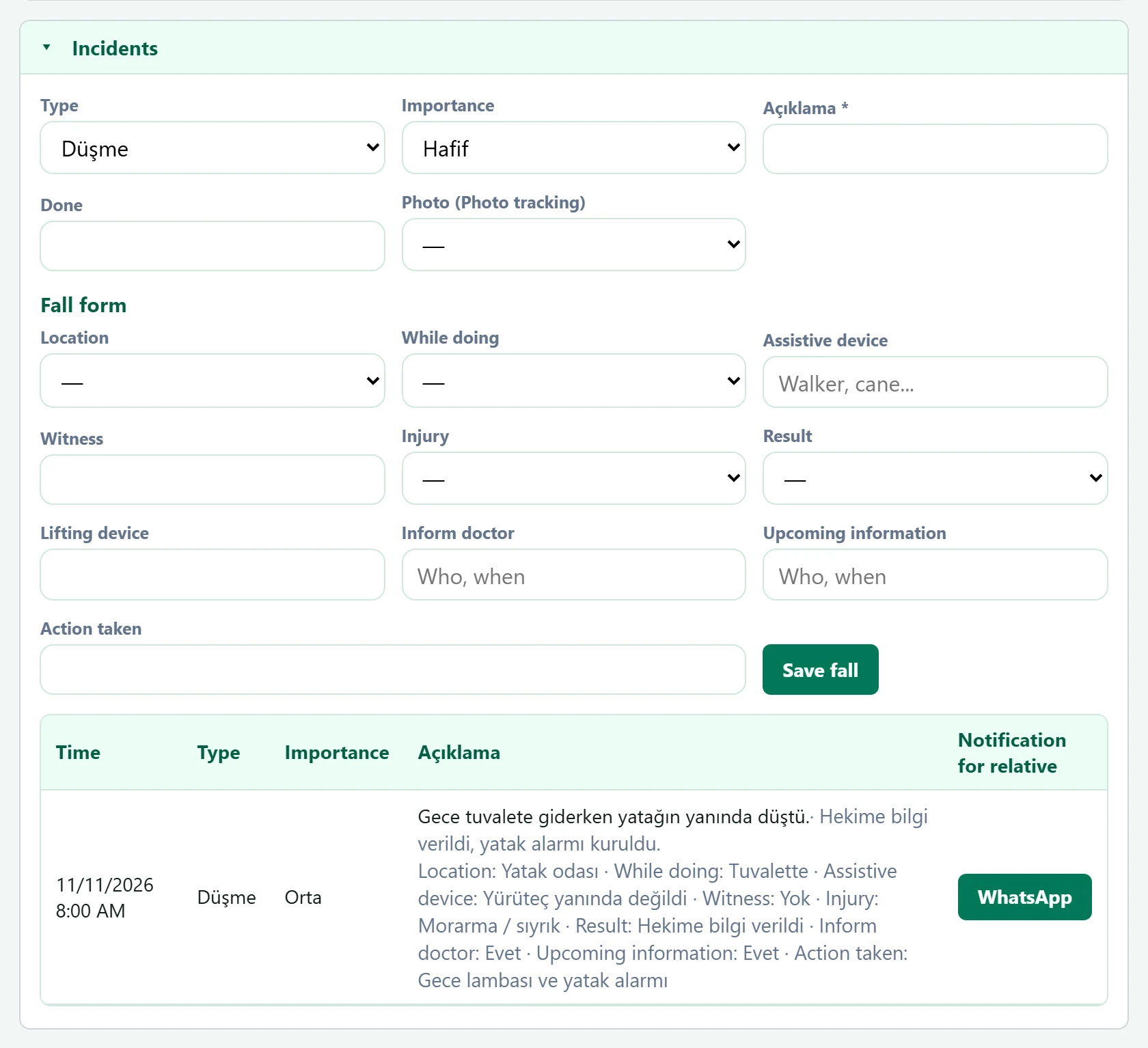
| Field | Sign in | Description |
|---|---|---|
| Type | Choice list | Incident type (fall, wound, behaviour…). For a fall an additional fall form opens. Options: Düşme · Yara / bası yarası · Davranış değişikliği · Acil durum · İlaç hatası · Other |
| Importance | Choice list | Severity of the incident. Options: Hafif · Orta · Ciddi |
| Açıklama required | Text | What happened. Required. |
| Done | Text | First action taken. |
| Photo (Photo tracking) | Choice list | Photo of the wound / fall; added to photo tracking. |
| Location | Choice list | Where the fall happened. Options: Yatak odası · Banyo / tuvalet · Koridor · Mutfak · Dışarıda · Other |
| While doing | Choice list | Activity at the time of the fall. Options: Yürürken · Ayağa kalkarken · Yataktan / sandalyeden geçerken · Tuvalette · Yataktan düştü · Bilinmiyor |
| Assistive device | Text | Aid used (cane, walker…). Placeholder: «Walker, cane...» |
| Witness | Text | Person who witnessed it. |
| Injury | Choice list | Injury status. Options: Yaralanma yok · Morarma / sıyrık · Açık yara · Kırık şüphesi · Baş travması |
| Result | Choice list | Outcome of the fall. Options: Gözlem altında · Hekime bilgi verildi · Hastaneye sevk · Ambulans çağrıldı |
| Lifting device | Text | Who lifted the person from the floor. |
| Inform doctor | Text | Whether the doctor was informed. Placeholder: «Who, when» |
| Upcoming information | Text | Whether the relative was informed. Placeholder: «Who, when» |
| Action taken | Text | Measure taken to prevent recurrence. |
The Sharing log (KVKK) panel records with whom the person's data was shared.
Common messages
| Message | Cause | Solution |
|---|---|---|
| First and last name are required. | First / last name empty in the profile. | Enter both. |
| Enter the relative's name. | Relative's name empty. | Enter the name. |
| Describe the event. | Incident description empty. | Fill in the description. |
| Enter the measurement value. | Value empty on a measurement task. | Enter the value. |
| Select caregiver. | No caregiver chosen for a task / visit. | Select the caregiver. |
| Monthly payroll started; first month written to the current period. | Monthly accrual started. | Information only. |