
 AsyaTicari
 AsyaRestoran
 AsyaOtel
 AsyaCrm
 AsyaKlinik
 AsyaSpor
 AsyaSSH
 AsyaEmlak
 AsyaFilo
 AsyaPuantaj
 AsyaİSG
 AsyaİHD
 Kolay Öğren
AsyaİSG · OHS operations
Visits
Opening a workplace visit and closing it with a report or with a reason.
The Visits screen records visits to workplaces. A visit is opened when it starts and closed with a report when it ends; a visit that could not take place is closed with a reason.
asyaİsg · /ziyaretler
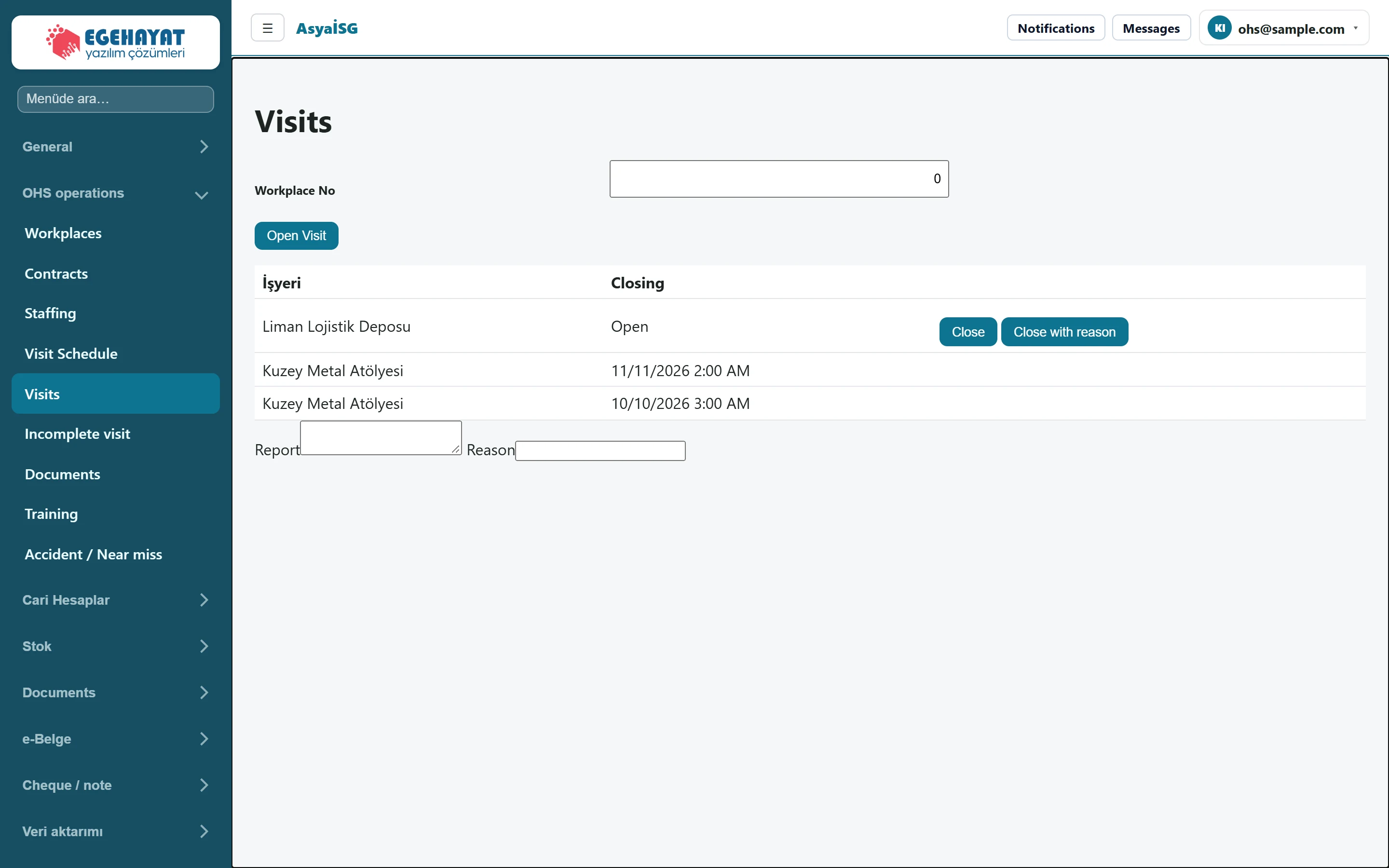
- 1Workplace No Open a visit: enter the workplace number and press Open Visit.
- 2Liman Lojistik Deposu Open Close Close with rea… Open visit: the Closing column shows «Open».
- 3Close Close: closes the visit with the report.
- 4Close with reason Close with reason: closes a visit that did not take place, with a reason.
- 5 Report: written to the visit with Close.
- 6 Reason: required for Close with reason.
Open a visit
- Enter the workplace's record number in Workplace No.
- Press Open Visit. The visit starts at the current time and the Closing column shows «Open».
Closing a visit
- Close: first type the work done into the Report box at the bottom of the page, then press Close in the row. The visit is closed as a «site tour» with the report.
- Close with reason: if the visit did not take place, type the cause into the Reason box and press this button.
A closed visit shows its closing date and time in the Closing column and its buttons disappear. The list is sorted newest first.
The Report and Reason boxes are shared by all rows: the text in the box is written to the visit whose button you press. A closed visit cannot be reopened or corrected on this screen.
Visits closed with Close with reason do not count as done for Incomplete visit.
Common messages
| Message | Cause | Solution |
|---|---|---|
| Visits cannot be closed without a reason. | Close with reason was pressed with an empty Reason box. | Enter the reason and try again. |