
 AsyaTicari
 AsyaRestoran
 AsyaOtel
 AsyaCrm
 AsyaKlinik
 AsyaSpor
 AsyaSSH
 AsyaEmlak
 AsyaFilo
 AsyaPuantaj
 AsyaİSG
 AsyaİHD
 Kolay Öğren
AsyaİSG · OHS operations
Contracts
Service contracts with workplaces: term, monthly fee and minutes, KATİP status, service invoice.
The Contracts screen holds the OHS service contracts made with workplaces. The contract term and KATİP status also feed the Today and Incomplete visit screens.
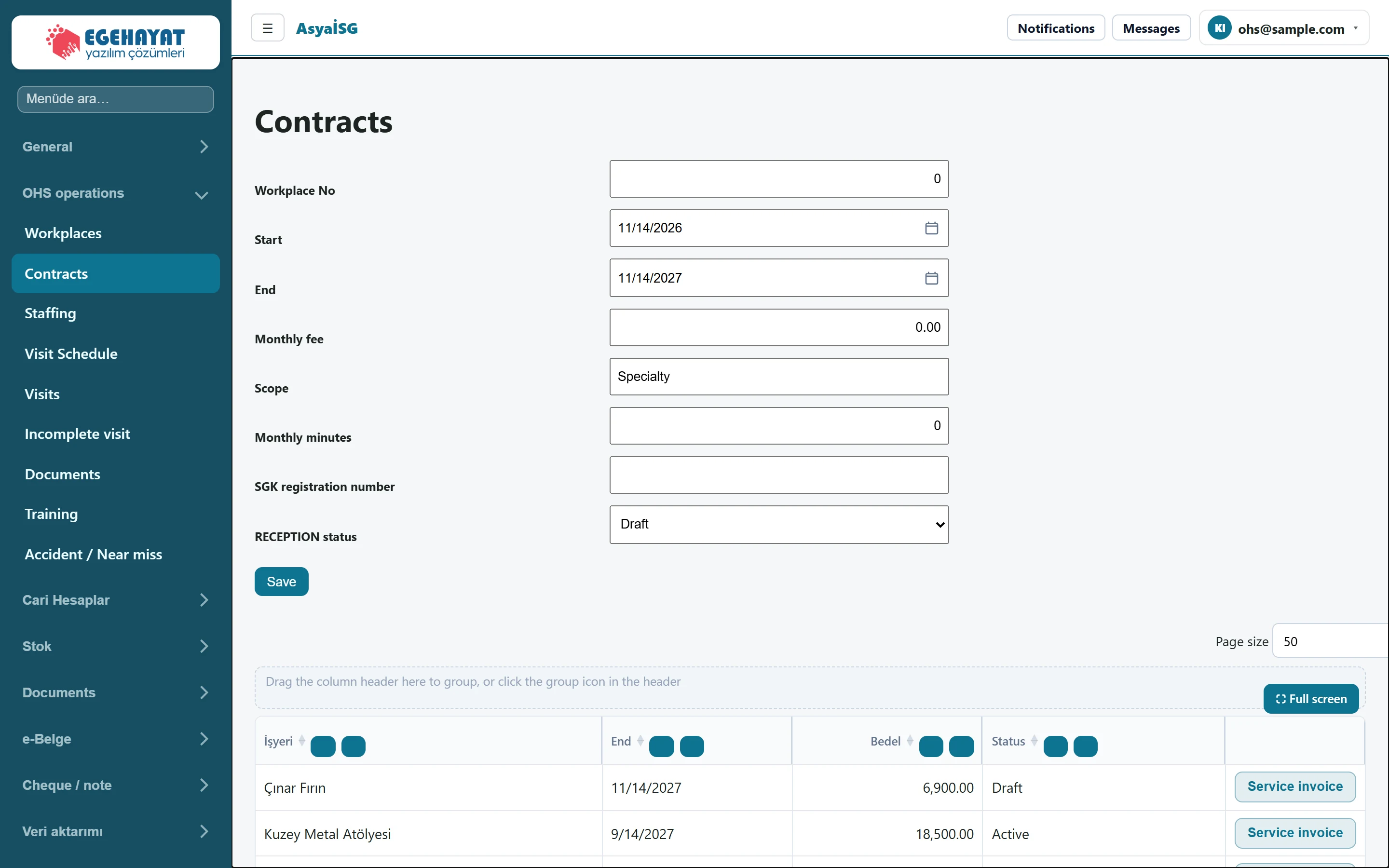
- 1Workplace No New contract form.
- 2Çınar Fırın 11/14/2027 6,900.00 Draft Contract row: workplace, end, monthly fee, KATİP status.
- 3Service invoice Row action: Service invoice.
New contract
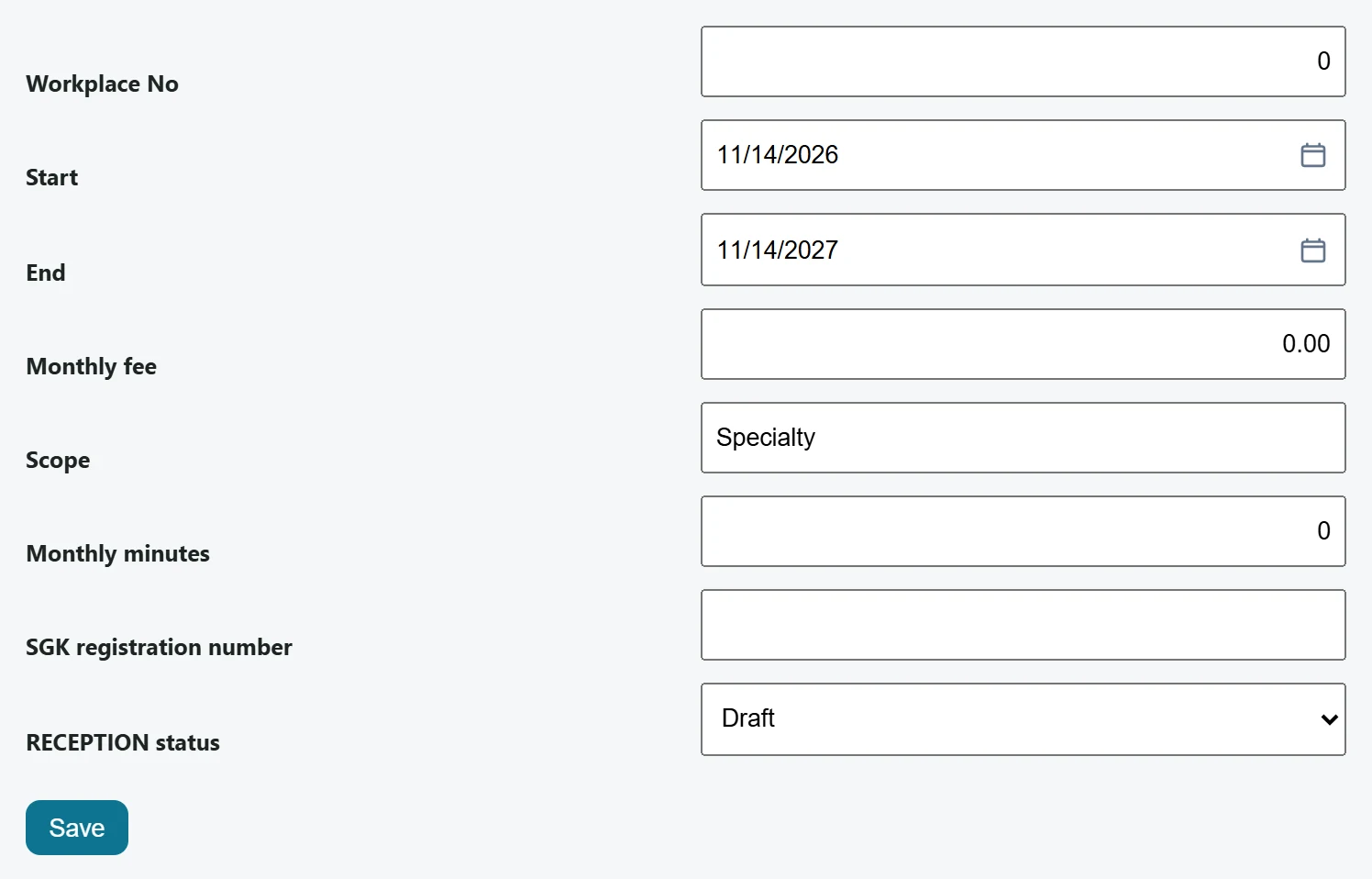
| Field | Sign in | Description |
|---|---|---|
| Workplace No | Text | Record number of the workplace the contract belongs to. |
| Start | Text | Contract start date (default: today). Placeholder: «mm/dd/yyyy» |
| End | Text | Contract end date (default: one year later). Placeholder: «mm/dd/yyyy» |
| Monthly fee | Text | Monthly service fee; the service invoice is issued for this amount. |
| Scope | Text | Scope of service (e.g. safety expert, physician). |
| Monthly minutes | Text | Monthly service time in the contract (minutes). |
| SGK registration number | Text | SGK registration number of the workplace. |
| RECEPTION status | Choice list | KATİP status of the contract: draft, sent for approval, active, cancelled. Options: Draft · Sent for approval · Active · Cancel |
- In Workplace No enter the record number of the workplace the contract belongs to.
- Check the Start and End dates (default: today and one year later).
- Enter Monthly fee, Scope and Monthly minutes.
- Choose the KATİP status (shown in English as RECEPTION status) and press Save.
The KATİP status on this screen is only a value you select manually; the application does not connect to the İSG-KATİP system or send anything to it. Carry out the official process in İSG-KATİP separately.
List
- Rows are sorted by end date (latest first): workplace, end, price, status.
- Contracts with 30 days or less to their end are highlighted and also listed on the Today screen.
- Only contracts with status Active count for Incomplete visit.
Service invoice
The Service invoice button in a row issues a single-line sales invoice («OHS service fee») for the contract's monthly fee. The invoice is written to the account card linked to the workplace on the Workplaces screen.
Each press issues a new invoice. Do not press it twice for the same month; issued invoices appear on the Documents screens.
Common messages
| Message | Cause | Solution |
|---|---|---|
| Service invoice issued. | The invoice was created. | You can see it on the documents screens. |
| Link workplace to account. | The workplace has no account card. | Fill in the Accounts field of the workplace. |
| No contract found. | No contract has been recorded yet. | Add a contract with the form. |