
 AsyaTicari
 AsyaRestoran
 AsyaOtel
 AsyaCrm
 AsyaKlinik
 AsyaSpor
 AsyaSSH
 AsyaEmlak
 AsyaFilo
 AsyaPuantaj
 AsyaİSG
 AsyaİHD
 Kolay Öğren
AsyaİSG · OHS operations
Workplaces
Workplaces served: new workplace, workplace list and importing a contract list from text.
The Workplaces screen holds the workplaces your OHS unit / office serves. Contracts, staff assignments, visits and document records are linked to these workplaces.
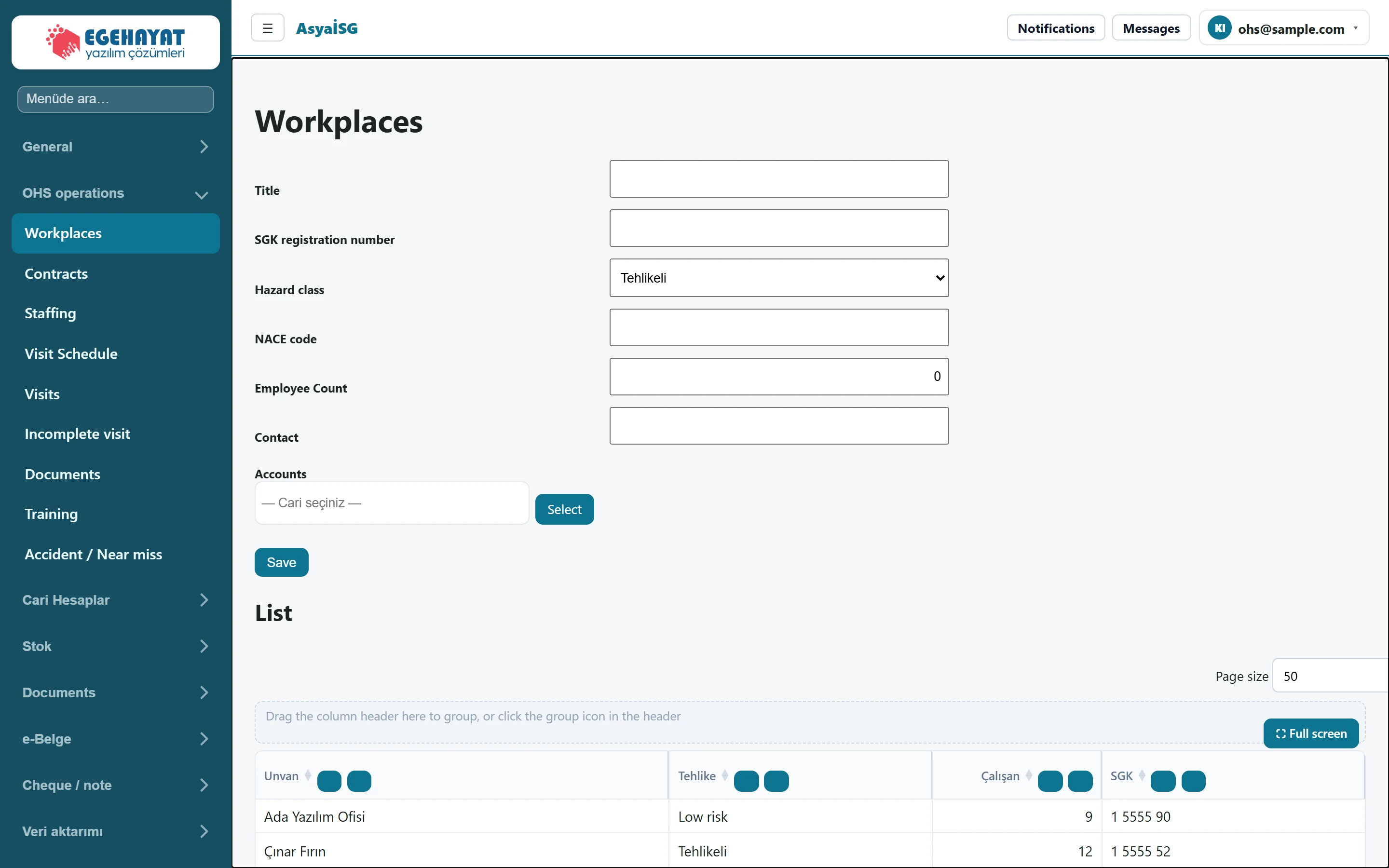
- 1Title New workplace form.
- 2Unvan List of registered workplaces.
- 3 Contract list import box.
New workplace
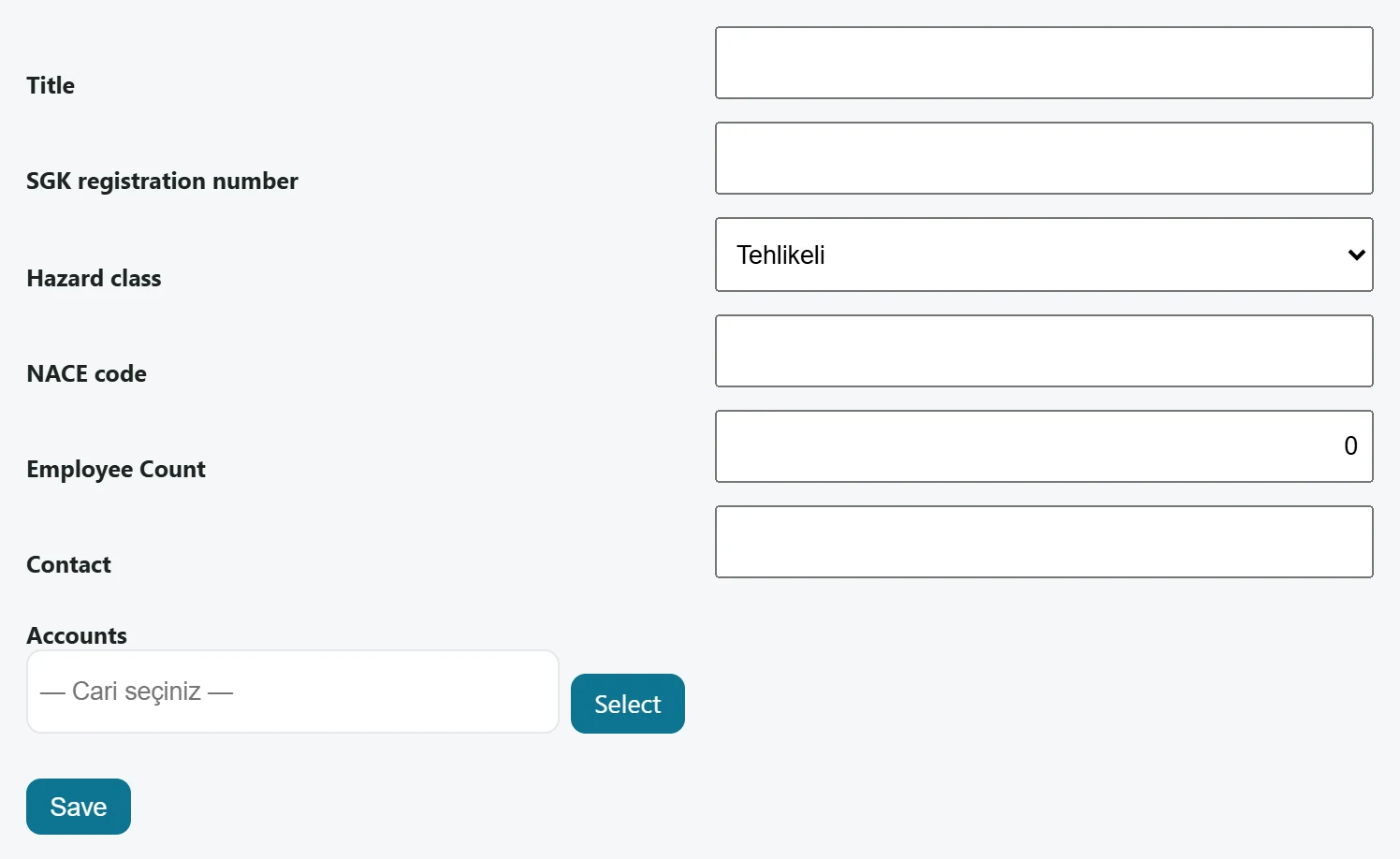
| Field | Sign in | Description |
|---|---|---|
| Title | Text | Name of the workplace; shown in the list and on the contract / visit screens. |
| SGK registration number | Text | The workplace's SGK (social security) registration number. |
| Hazard class | Choice list | Low hazard, hazardous or very hazardous. Options: Low risk · Tehlikeli · Very Hazardous |
| NACE code | Text | Activity (NACE) code of the workplace. |
| Employee Count | Text | Number of employees at the workplace. |
| Contact | Text | Contact person at the workplace. |
| Accounts | Text | Account card linked to the workplace; required to issue a service invoice from a contract. Placeholder: «— Cari seçiniz —» |
- Enter the Title (workplace name); fill in the other fields if you know them.
- Choose the workplace's class in Hazard class (default: hazardous).
- If you will issue service invoices from contracts, pick the workplace's account card with the select button in the Accounts field.
- Press Save. The workplace is added to the list.
Hazard class and NACE code are only stored as data; the application does not calculate anything from them. You choose the class according to the workplace's official records.
Workplace list
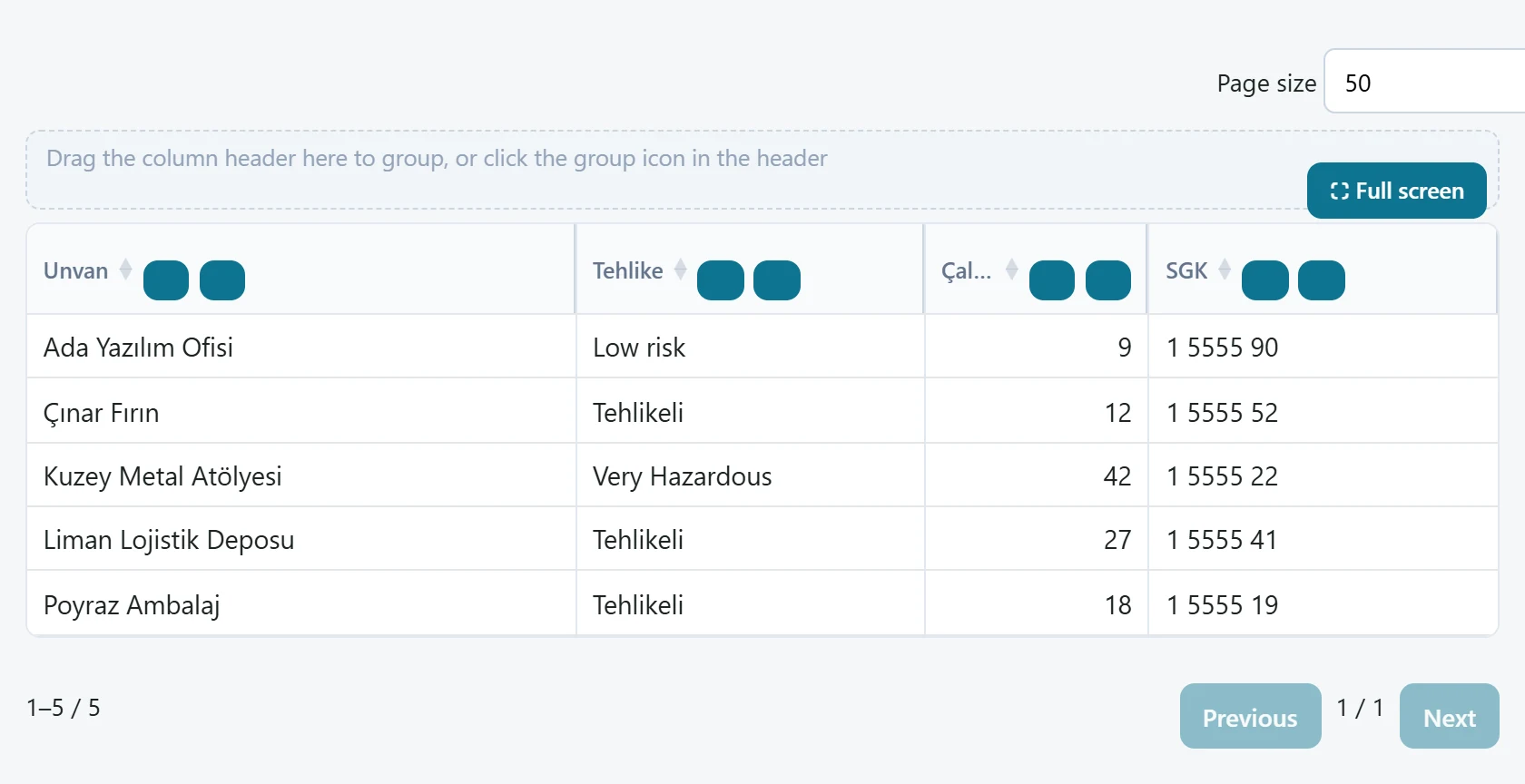
- 1⛶ Full screen Drag a column header here to group.
- 2Tehlike Sort and filter buttons in the header.
- 3Ada Yazılım Ofisi Low risk 9 1 5555 90 Workplace row: name, hazard class, employee count, SGK number.
The list shows name, hazard class, employee count and SGK number. Sort and filter from the column headers, or drag a header into the grouping area to group.
Import contract list
You can paste a workplace / contract list kept elsewhere as text. Each line is one workplace; fields are separated by semicolons:
SGK;Title;Hazard;Employees;Start;End;Fee;Minutes
- Paste the lines into the box. A header line starting with «SGK» is skipped.
- Press Import. A workplace is created for each line; if Start and End can be read as dates, a draft contract is also added for that workplace.
The Hazard column must contain a system code: AzTehlikeli (low), Tehlikeli (hazardous) or CokTehlikeli (very hazardous). Any other value counts as hazardous. Lines without a name are skipped. If the import sees the same name again it creates another workplace; do not import the same list twice.
Common messages
| Message | Cause | Solution |
|---|---|---|
| Registration failed to write. | The title is empty or the server rejected the record. | Enter the title and save again. |
| No workplace found. | No workplace has been recorded yet. | Add workplaces with the form or the import. |