
 AsyaTicari
 AsyaRestoran
 AsyaOtel
 AsyaCrm
 AsyaKlinik
 AsyaSpor
 AsyaSSH
 AsyaEmlak
 AsyaFilo
 AsyaPuantaj
 AsyaİSG
 AsyaİHD
 Kolay Öğren
AsyaİSG · OHS operations
Documents
Document records of workplaces (risk assessment, emergency plan …).
The Documents screen keeps a record of workplace documents, such as the risk assessment or the emergency action plan.
asyaİsg · /evrak
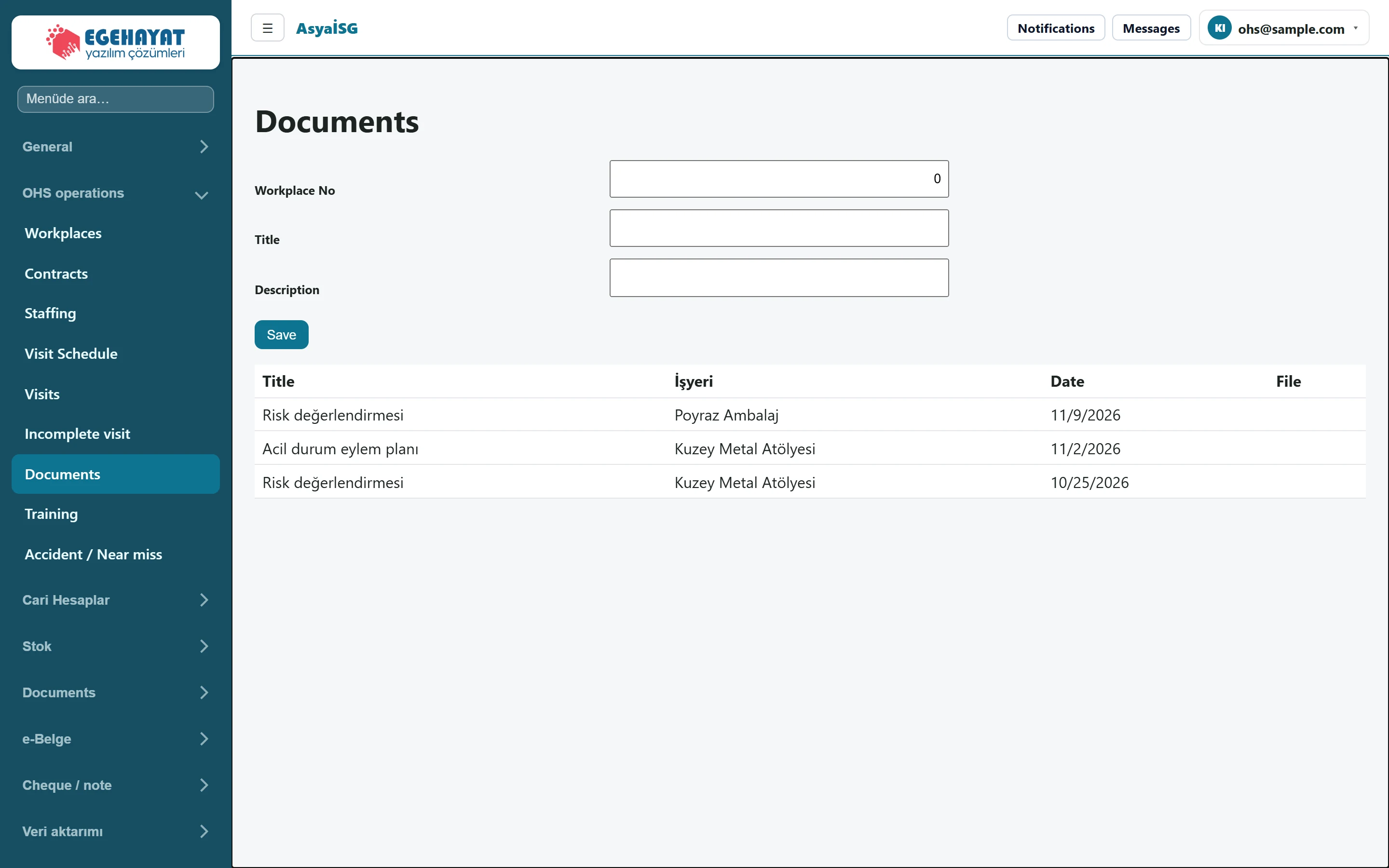
- 1Workplace No New document record form.
- 2Title İşyeri Date File Records: title, workplace, date, file (newest first).
New record
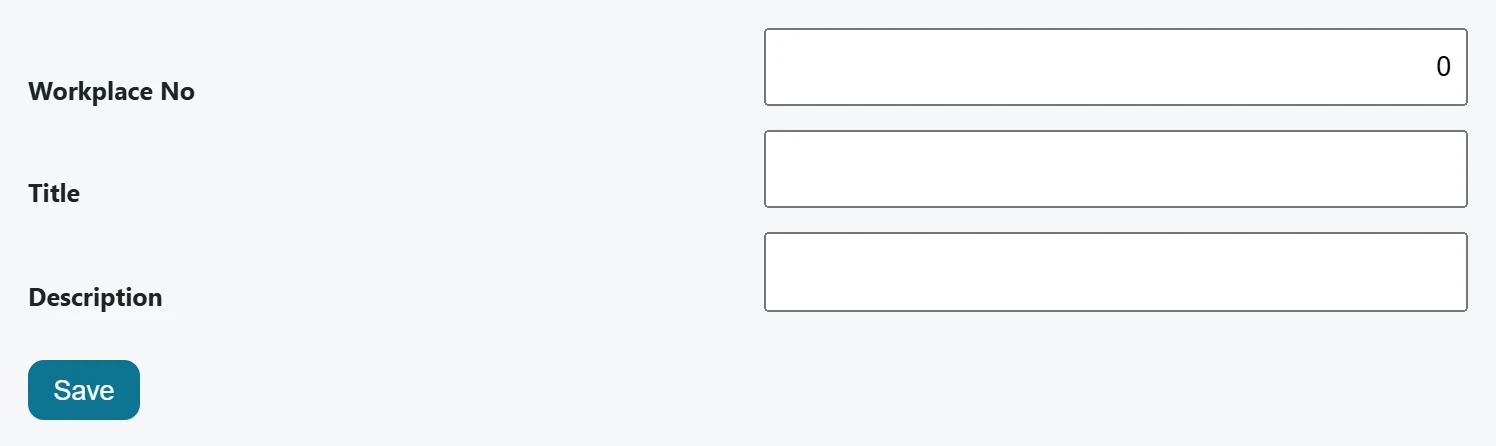
Part of the screenNew record
| Field | Sign in | Description |
|---|---|---|
| Workplace No | Text | Record number of the workplace the entry belongs to. |
| Title | Text | Short name of the entry (required). |
| Description | Text | Details / description. |
- In Workplace No enter the record number of the workplace the entry belongs to.
- Enter a Title (required) and optionally a Description.
- Press Save. The entry is added to the list with today's date.
The list is sorted newest first: title, workplace, date, file.
Document records without an uploaded file appear in the Missing documents card of the Today screen. There is no upload button on this screen; the File column shows the name of an uploaded file.