
 AsyaTicari
 AsyaRestoran
 AsyaOtel
 AsyaCrm
 AsyaKlinik
 AsyaSpor
 AsyaSSH
 AsyaEmlak
 AsyaFilo
 AsyaPuantaj
 AsyaİSG
 AsyaİHD
 Kolay Öğren
AsyaİHD · General
Overview
Number of ERP connections and file preparation runs, status of the latest run and quick links.
Overview is the first screen after signing in to AsyaİHD. AsyaİHD prepares the Excel files (S2, S3, S6, S8, S10, S11) requested by the Turkish Tax Inspection Board in a fake-invoice (SBK) review from the data in your ERP. The screen is informational only; nothing is changed here.
asyaİhd · /
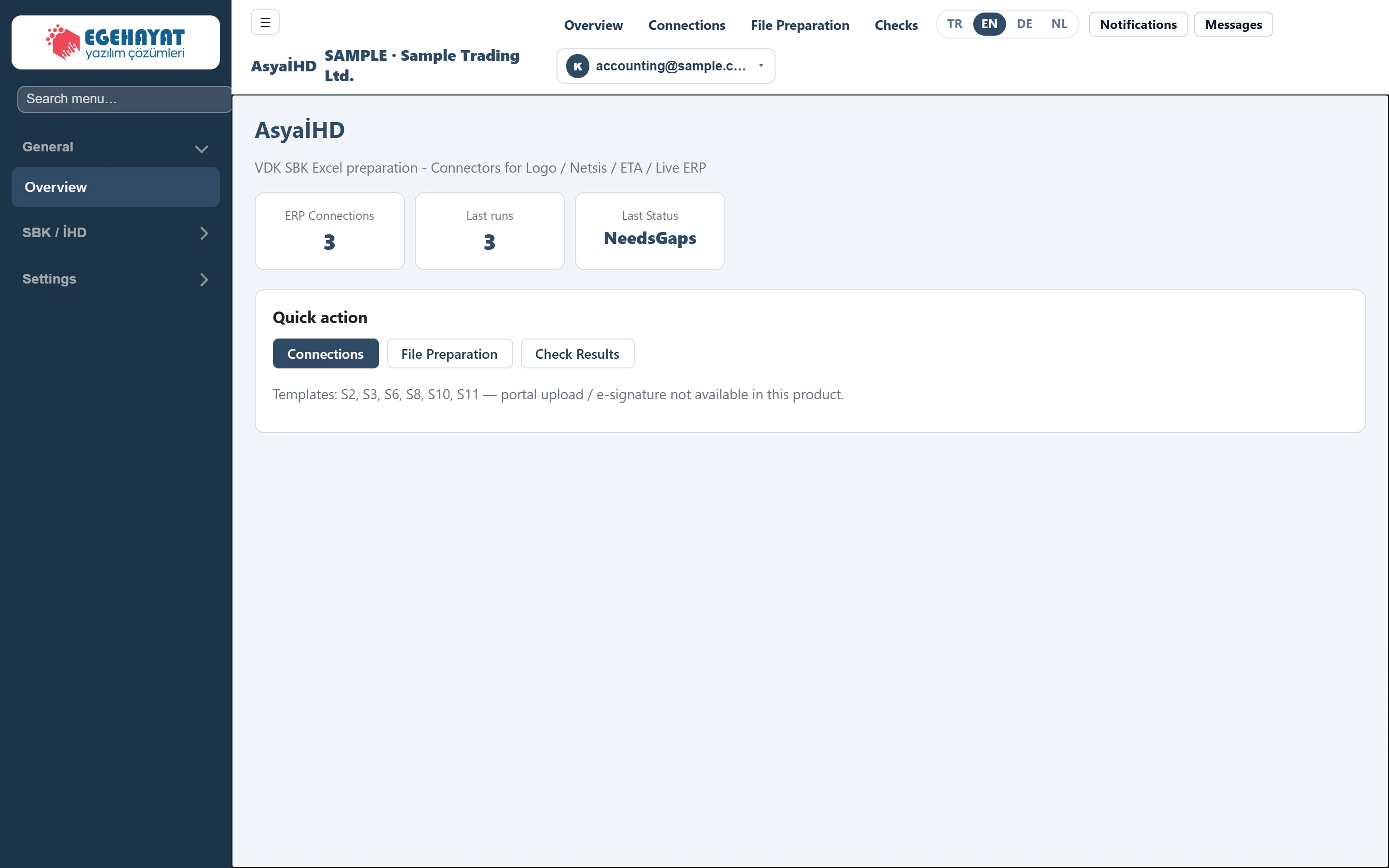
- 1ERP Connections Number of ERP connections defined for the company (inactive ones included).
- 2Last runs Number of file preparation runs started so far.
- 3Last Status Status of the latest run (NeedsGaps, Completed, Failed …).
- 4Connections Shortcuts to the Connections, File Preparation and Check Results screens.
Cards
- ERP Connections: number of connections defined for your company. Inactive connections are counted too.
- Last runs: number of file preparation runs started so far.
- Last Status: status of the latest run. Statuses are shown as English codes:
| Status | Meaning |
|---|---|
| Pending | The run was created but not processed yet. |
| Running | Data is being read and files are being produced. |
| NeedsGaps | Files were produced but there are missing items left (Incomplete). |
| Completed | No missing items are left. |
| Failed | Production stopped with an error; the reason is shown in the run's summary line. |
Quick action
The Connections, File Preparation and Check Results buttons open those screens.
AsyaİHD only prepares the files. Uploading to the tax administration portal and e-signing are not part of this product; you hand over the prepared Excel files to the unit carrying out the review.