
 AsyaTicari
 AsyaRestoran
 AsyaOtel
 AsyaCrm
 AsyaKlinik
 AsyaSpor
 AsyaSSH
 AsyaEmlak
 AsyaFilo
 AsyaPuantaj
 AsyaİSG
 AsyaİHD
 Kolay Öğren
AsyaİHD · SBK / İHD
Check Results
Findings (errors / warnings) of the C-01 … C-10 rules for the produced SBK files.
The Check Results screen shows the findings of the rule engine for a run. Findings are created automatically when files are produced; nothing is changed on this screen.
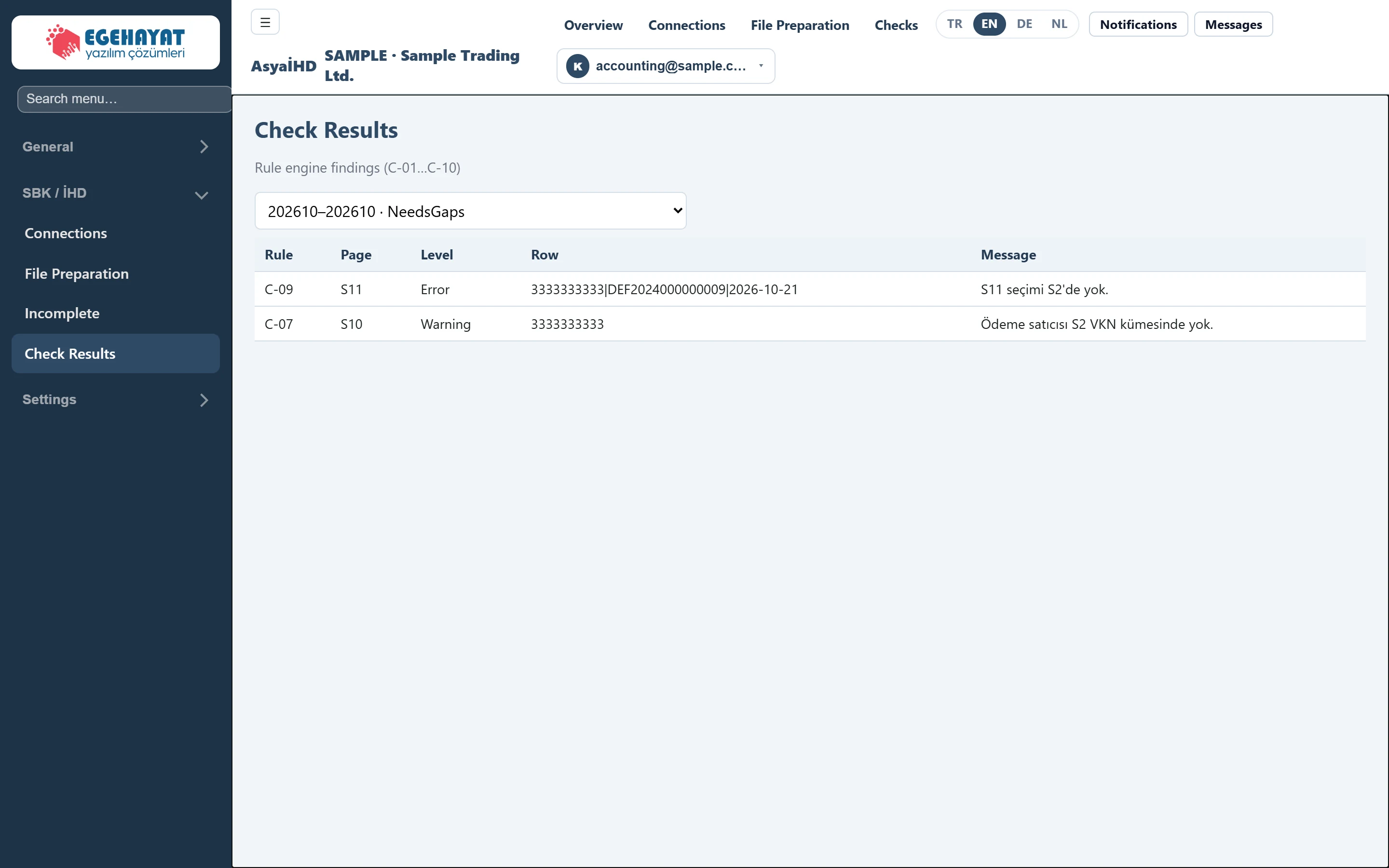
- 1202610–202610 · NeedsGaps Run whose check results are shown.
- 2C-09 Rule code (C-01 … C-10).
- 3Error Error: must be corrected before the file is submitted.
- 4Warning Warning: should be reviewed.
- 5S11 seçimi S2'de yok. Description of the finding.
Choosing the run
Choose the run in the list at the top (period and status). The screen opens with the newest run; if you come via Checks on File Preparation, that run is selected. Without findings, No findings or the report document has not been generated yet. appears below the table.
Columns
Rule (rule code), Page (template), Level (Error, Warning), Row (invoice key or vendor tax number) and Message. Messages are shown in Turkish in every language; the table below gives their meaning.
Rules
| Rule | Page | Level | Meaning | What to do |
|---|---|---|---|---|
| C-01 | S2 | Error | Duplicate invoice no + vendor tax number. | Fix the duplicate record in the ERP. |
| C-02 | S2 | Error | Invalid tax number of the invoice issuer. | Correct the vendor's VKN (10 digits) / TCKN (11 digits) in the ERP. |
| C-03 | S2 | Error | Legal name / invoice number required. | Enter the missing name or invoice number in the ERP. |
| C-04 | S2 | Error | Amounts cannot be negative. | Check the invoice amounts. |
| C-05 | S3 | Error | Return row finds no original invoice in S2. | Check that the original invoice is in the period with the same data. |
| C-06 | S3 | Error | Return amount exceeds the original net amount. | Correct the return amount. |
| C-07 | S10 | Warning | Paying vendor is not among the S2 tax numbers. | Review whether the payment relates to this period's invoices. |
| C-08 | S10 | Error | Paid + unpaid ≠ gross amount (±0.01). | Correct the payment amounts. |
| C-09 | S11 | Error | S11 selection not in S2. | Write the key in S11 selection exactly as in S2. |
| C-10 | S2 | Error | Taxpayer tax number invalid. | Correct the taxpayer's VKN in Connections. |
Workflow
- Produce the files on File Preparation.
- Clear the
Errorrows one by one (in the ERP, in Connections or in S11 selection). - Produce the files again and check that the list is clean. Review the
Warningrows.
The Excel files can still be downloaded while there are errors. Make sure no Error remains in this list before handing the files over for the review.