
 AsyaTicari
 AsyaRestoran
 AsyaOtel
 AsyaCrm
 AsyaKlinik
 AsyaSpor
 AsyaSSH
 AsyaEmlak
 AsyaFilo
 AsyaPuantaj
 AsyaİSG
 AsyaİHD
 Kolay Öğren
AsyaFilo · Definitions
Integration
The ERP transfer queue (outbox) of fuel, expense and work order records: status filter, attempt count and error.
The Integration (ERP integration) screen lets you monitor the queue that transfers fuel, expense and work order records entered in AsyaFilo to your ERP. AsyaFilo does not push records to the ERP itself: the ERP-side integration reads the queue and acknowledges the records it has received (Acked).
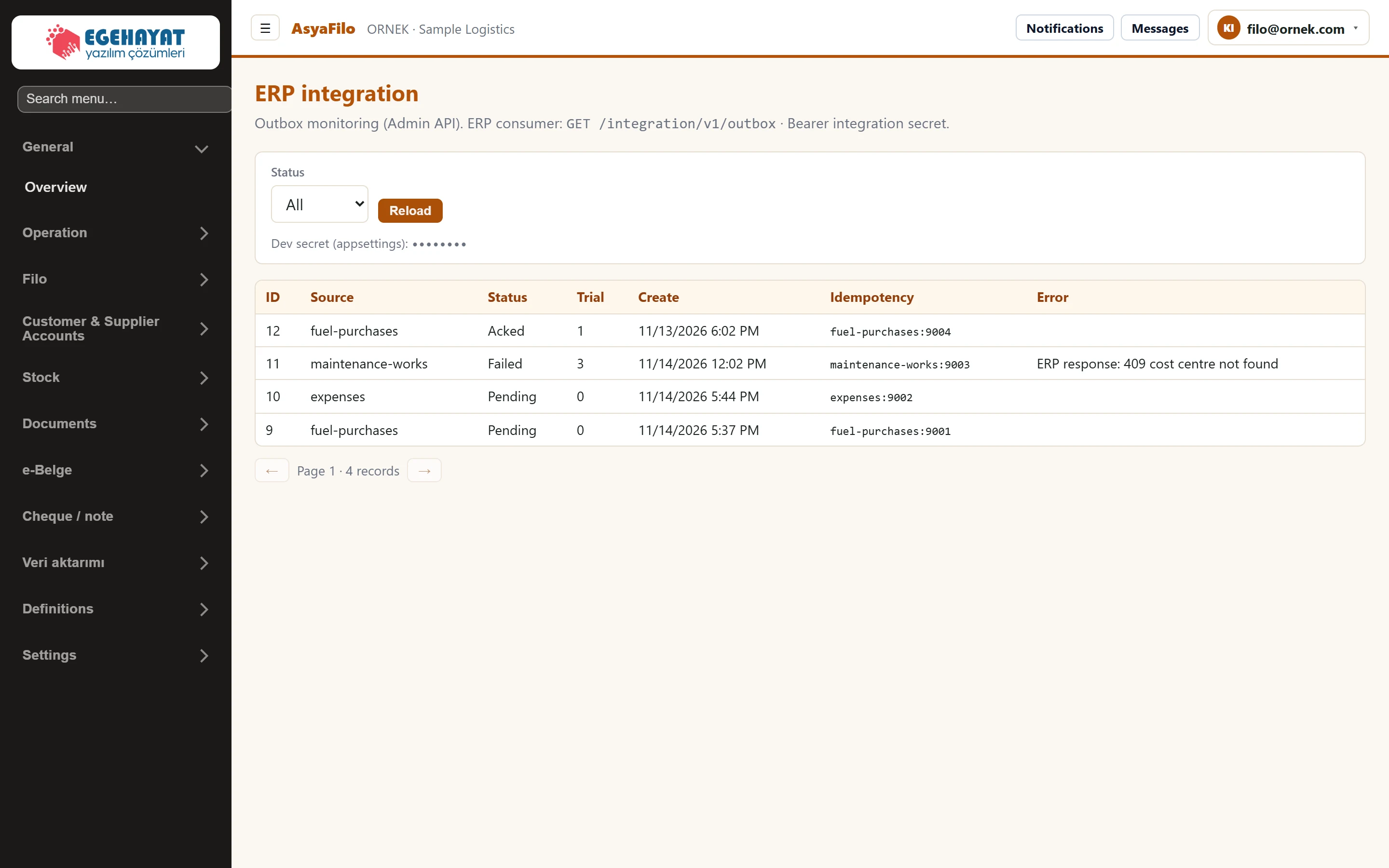
- 1All Queue record status: Pending, Sent, Acked (received by ERP), Failed.
- 2Reload Reloads the list with the selected status.
- 3Secret Hint of the secret the ERP uses to connect (hidden in the image).
- 4Source Record type: fuel-purchases, expenses, maintenance-works.
- 5Idempotency Key that prevents duplicates when a record is resent.
List
| Column | Meaning |
|---|---|
| Source | Record type: fuel-purchases, expenses, maintenance-works (work order). |
| Status | Pending: waiting for the ERP · Sent: sent · Acked: received and acknowledged by the ERP · Failed: transfer failed. |
| Attempts | Number of transfer attempts (labelled «Trial» in the English interface). |
| Create | Time the record was queued. |
| Idempotency | Key that prevents the same record from being written to the ERP twice (type:number). |
| Error | Error returned by the ERP in the last attempt. |
Select a status in Status and press Reload; All shows every status. When the screen opens, «Pending» is selected. 25 records per page.
The «Dev secret» line is a hint of the secret the ERP uses to connect; share it only with the person setting up the integration. The screen cannot resend or delete queue records: for «Failed» records fix the error on the ERP side (e.g. a missing cost centre).
Open this screen from the menu or with the Integration button on the Overview.
Common messages
| Message | Cause | Solution |
|---|---|---|
| Outbox empty — no operation records waiting for ERP transfer. | No record in the selected status. | Set Status to All and press Reload. |