
 AsyaTicari
 AsyaRestoran
 AsyaOtel
 AsyaCrm
 AsyaKlinik
 AsyaSpor
 AsyaSSH
 AsyaEmlak
 AsyaFilo
 AsyaPuantaj
 AsyaİSG
 AsyaİHD
 Kolay Öğren
AsyaTicari · General Ledger
Sub-ledger
Opening balance, voucher-by-voucher movements and running balance of one account (with sub-accounts for a parent account).
The Subsidiary ledger lists the movements of one account in date order with opening and running balance. It also opens from the trial balance, the chart of accounts and the account card; the account and dates are then filled in.
Opening the screen
In the side menu click General Ledger → Subsidiary ledger.
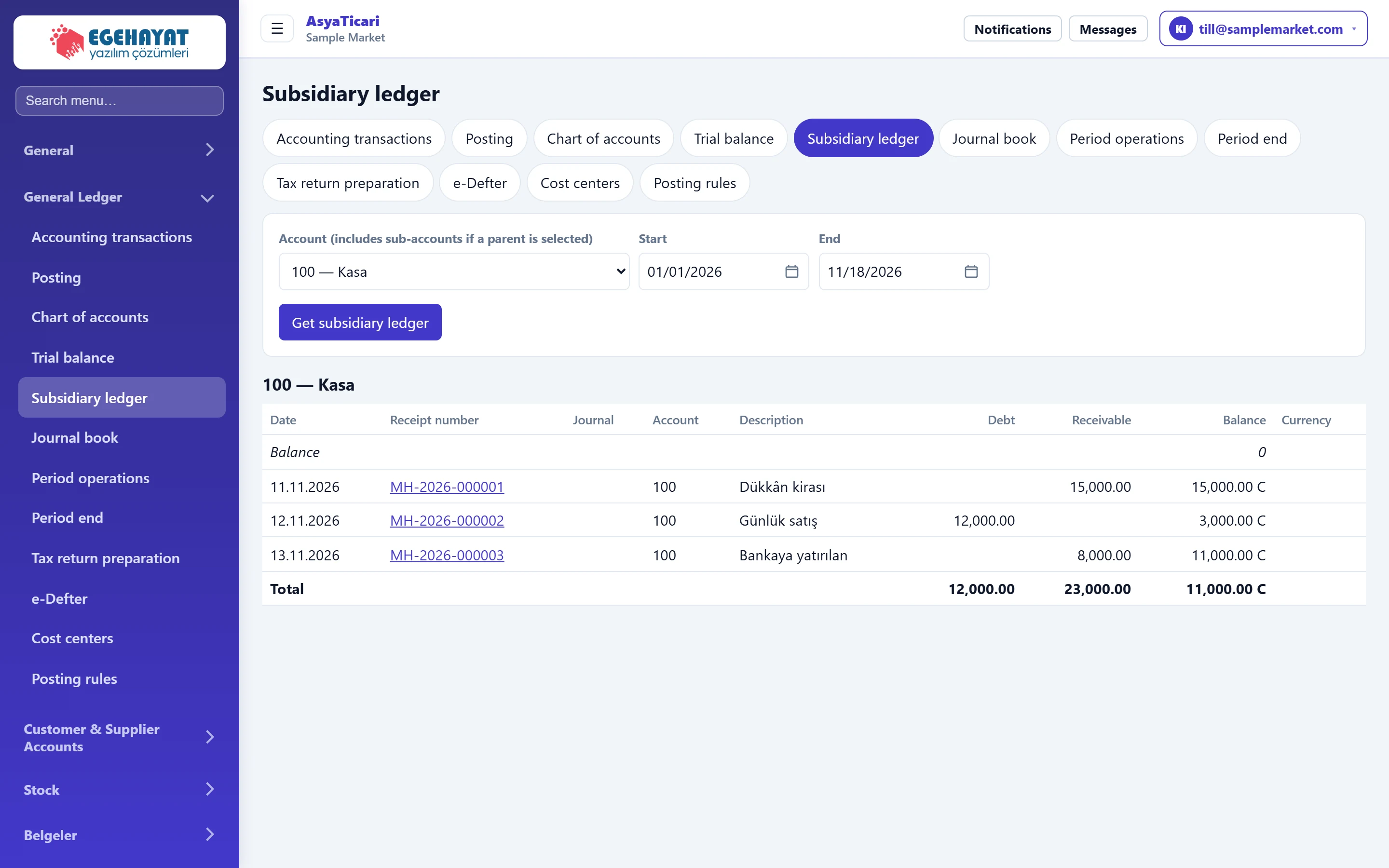
- 1Account Account for the sub-ledger.
- 2Get subsidiary ledger Lists the account's movements.
- 3Selected account Account shown in the sub-ledger.
- 4Opening Balance before the start date.
Filter
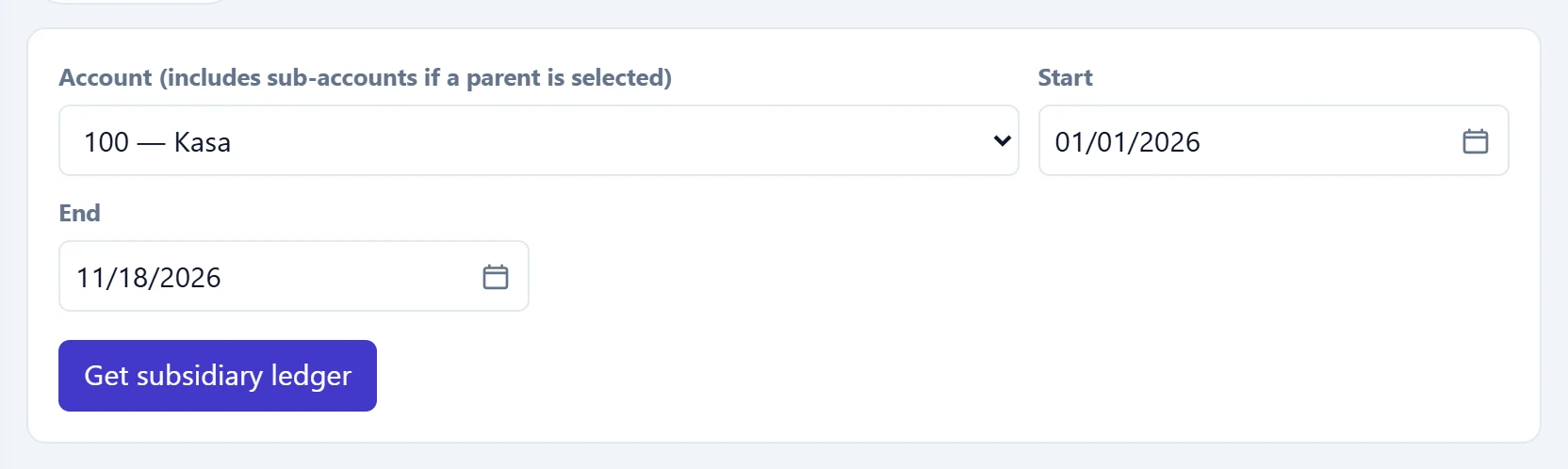
- 1Get subsidiary ledger Disabled until an account is selected.
- 2Account Account for the sub-ledger. Choosing a parent account includes all its sub-accounts.
| Field | Sign in | Description |
|---|---|---|
| Account (includes sub-accounts if a parent is selected) | Choice list | Account for the sub-ledger. Choosing a parent account includes all its sub-accounts. |
| Start | Text | First movement date; earlier ones are summed in the Opening row. Placeholder: «mm/dd/yyyy» |
| End | Text | Last movement date. Placeholder: «mm/dd/yyyy» |
If the company has cost centres, a cost centre list also appears in the filter; choosing one shows only that centre's lines.
Movements
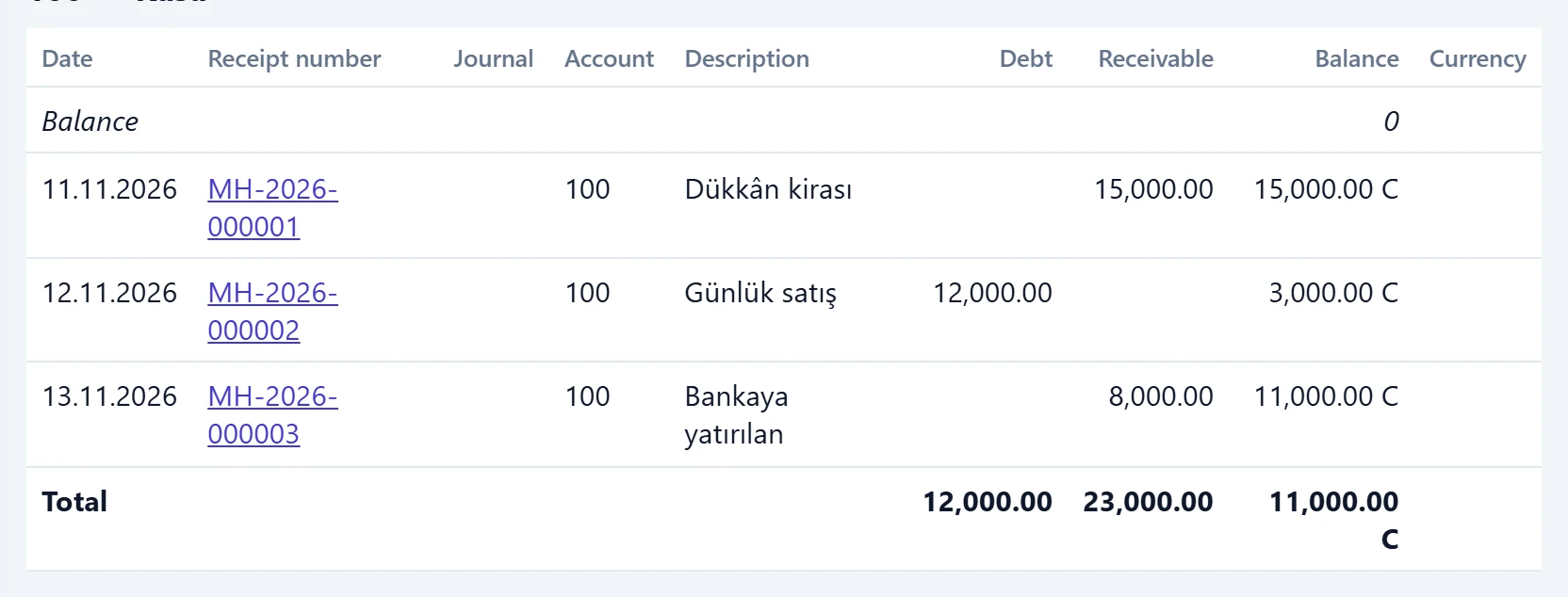
- 1Voucher no Opens the movement's voucher.
- 2Balance Running balance; B is debit, A is credit balance.
- 3Currency Foreign-currency amount and code on currency lines.
- 4Total Period debit / credit total and closing balance.
The description column shows the line description if there is one, otherwise the voucher description.
Taking a sub-ledger: step by step
- Select the account (a parent account brings its sub-accounts too).
- Enter the date range.
- Click Get subsidiary ledger.
- Click a voucher number to see the movement in detail.
For a party reconciliation, select the sub-account of 120 or 320; the closing balance is followed by B (debit) or A (credit).