
 AsyaTicari
 AsyaRestoran
 AsyaOtel
 AsyaCrm
 AsyaKlinik
 AsyaSpor
 AsyaSSH
 AsyaEmlak
 AsyaFilo
 AsyaPuantaj
 AsyaİSG
 AsyaİHD
 Kolay Öğren
AsyaTicari · General Ledger
Trial balance
Trial balance report showing opening, period and balance amounts of the accounts level by level for a date range.
The Trial balance shows each account's opening amounts, period debit / credit and remaining balance. Equal debit and credit totals (a balanced trial balance) show that the entries are balanced. Only approved and final vouchers are included; drafts are not.
Opening the screen
In the side menu click General Ledger → Trial balance, set the filter and click Get trial balance.
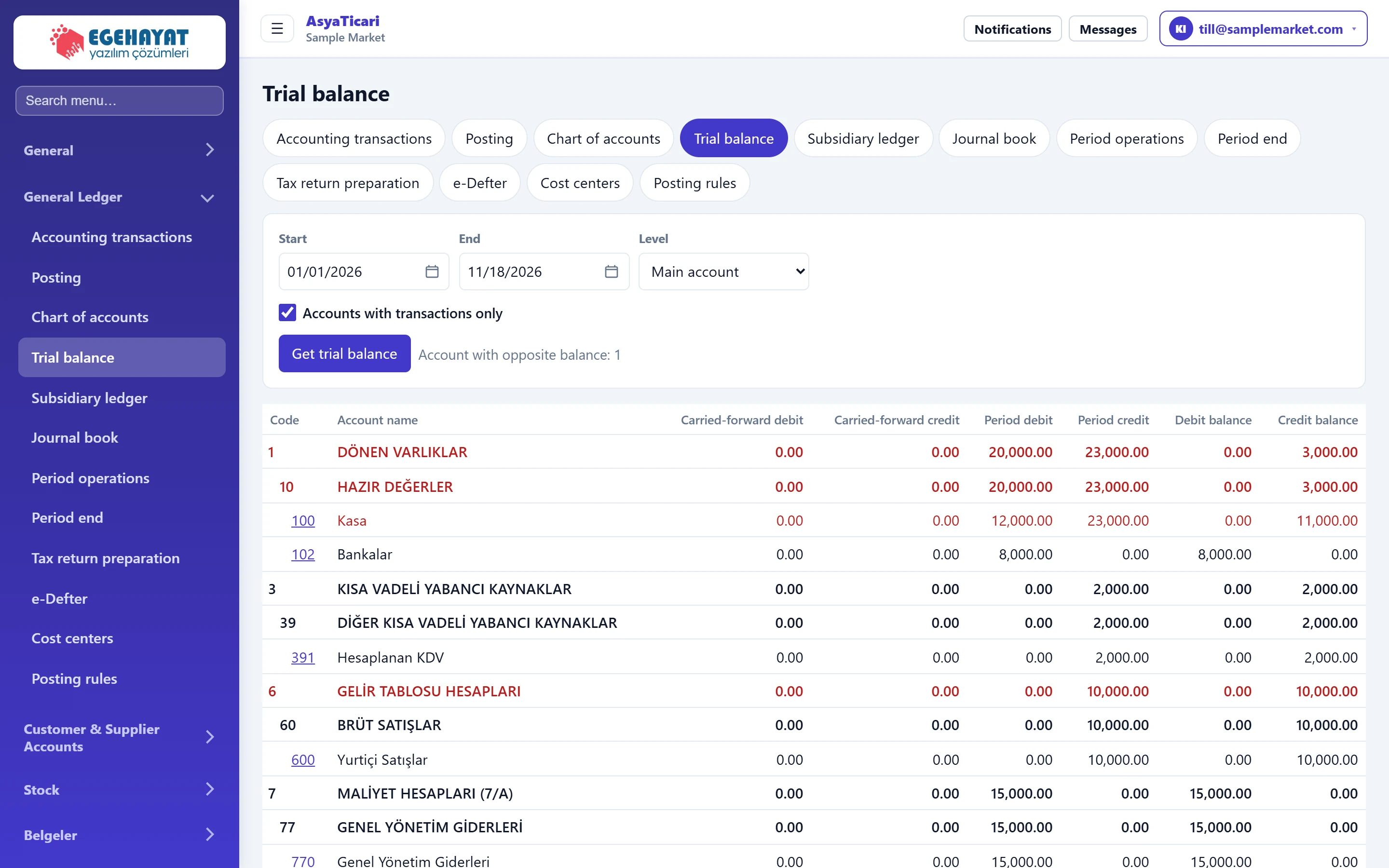
- 1Filter Date range, level and only accounts with movements.
- 2Get trial balance Calculates the trial balance.
- 3Reverse-balance accounts Number of postable accounts with a balance opposite to their normal side.
- 4Balance check «Trial balance in balance» if debit and credit totals are equal.
Filter
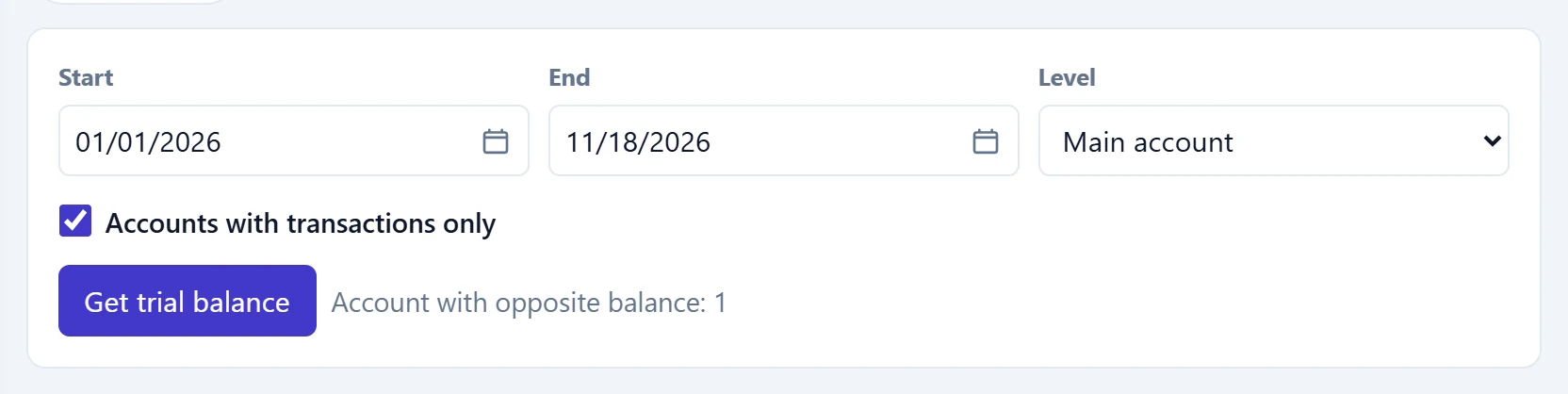
- 1Get trial balance Runs the trial balance.
| Field | Sign in | Description |
|---|---|---|
| Start | Text | First day of period movements; earlier movements go to the opening columns. Placeholder: «mm/dd/yyyy» |
| End | Text | Last day of period movements. Placeholder: «mm/dd/yyyy» |
| Level | Choice list | Account level down to which the trial balance is listed; default Main account. Options: All levels · Class · Group · Main account · 1st sub-account · 2nd sub-account |
| Accounts with transactions only | Checkbox | If ticked, accounts with no opening balance or movements are hidden. |
Trial balance table
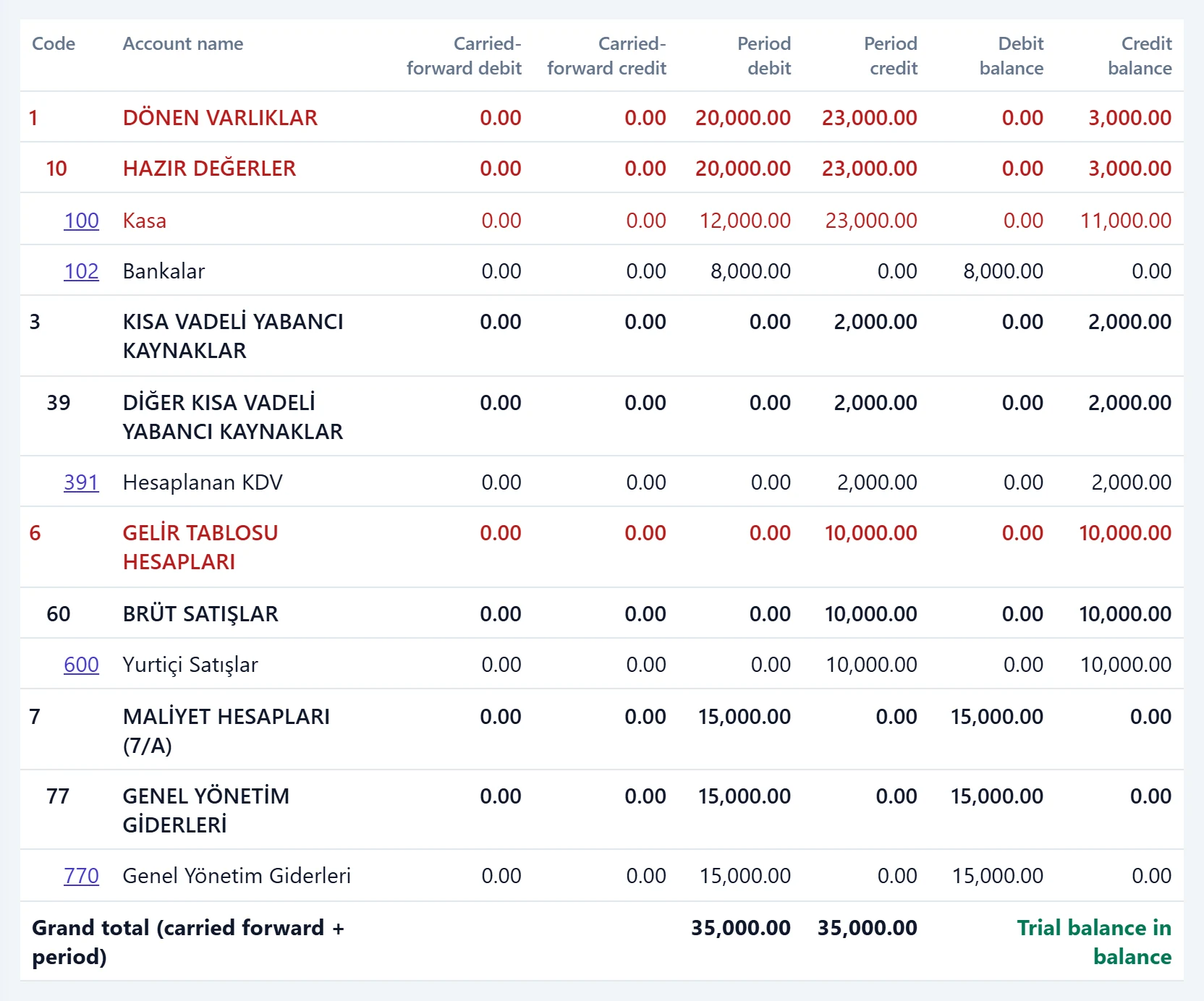
- 1Account code Click a postable account code to open its sub-ledger for the same range.
- 2Carried-forward debit Debit / credit total before the start date.
- 3Period debit Debit / credit total in the selected range.
- 4Debit balance Remaining balance after opening + period.
- Parent accounts are bold; sub-accounts are indented.
- A row with a balance opposite to its normal side (e.g. a cash account in credit) is red; their number is shown next to the filter.
- Clicking a postable account code opens its sub-ledger for the same date range.
- The footer says whether the trial balance is in balance (green) or not (red).
At month end, first take the trial balance at main account level; if an account shows a reverse balance, click its code and find the voucher in the sub-ledger.
The trial balance only shows vouchers posted to the general ledger. If invoices have not been posted yet, amounts are missing; check the Posting screen first.