
 AsyaTicari
 AsyaRestoran
 AsyaOtel
 AsyaCrm
 AsyaKlinik
 AsyaSpor
 AsyaSSH
 AsyaEmlak
 AsyaFilo
 AsyaPuantaj
 AsyaİSG
 AsyaİHD
 Kolay Öğren
AsyaTicari · General Ledger
Tax return preparation
Calculating VAT1, VAT2, withholding and provisional tax amounts; month-end VAT offset voucher.
The Tax return preparation screen prepares the figures for your tax returns. VAT, VAT2 and withholding amounts are calculated from approved documents, provisional tax from the general ledger. The figures are entered on the return by hand; e-filing is not available in this version.
Opening the screen
In the side menu click General Ledger → Tax return preparation, choose the Month and click Calculate.
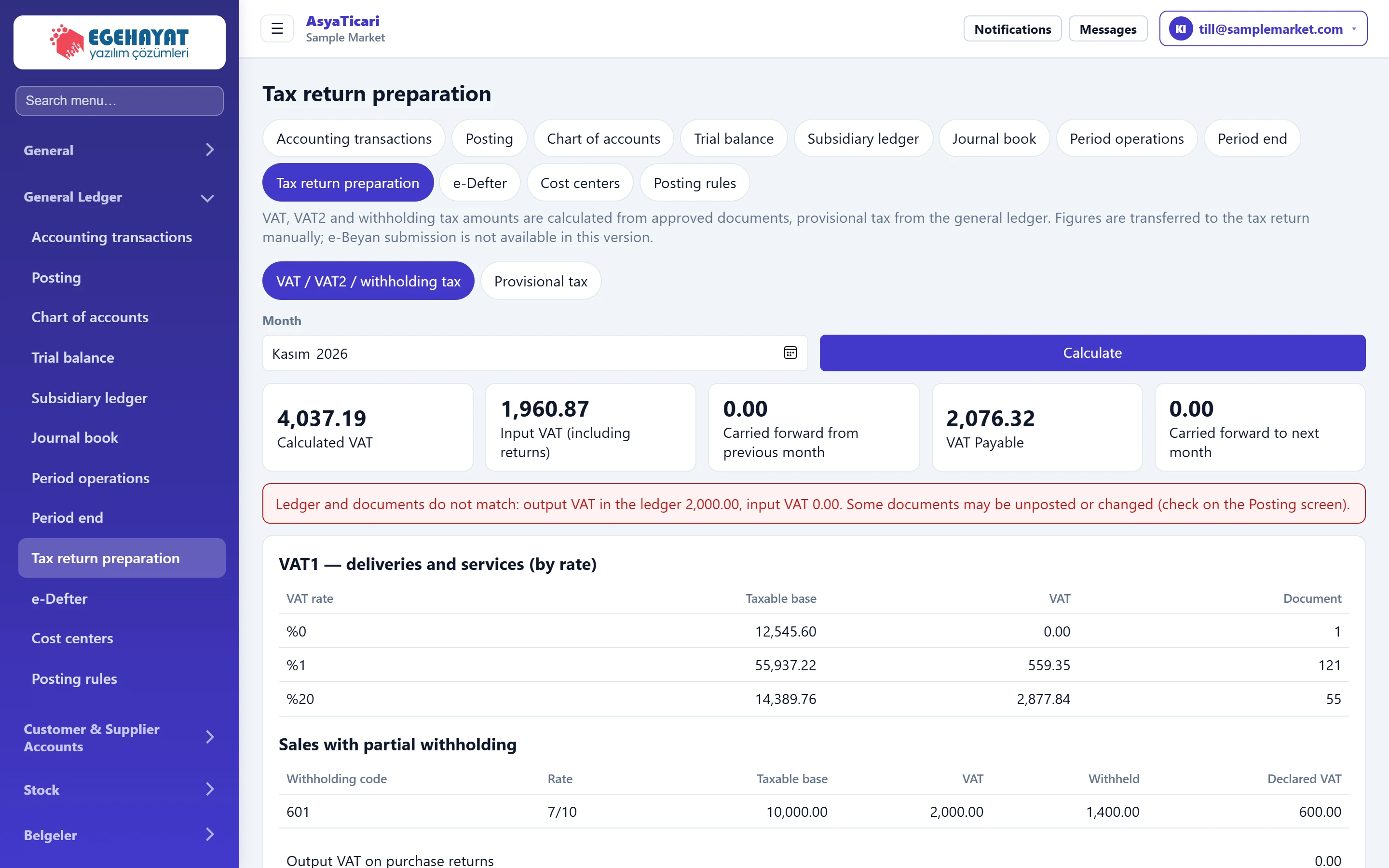
- 1Tabs VAT / VAT2 / withholding and provisional tax.
- 2Month Month to calculate.
- 3Calculate Calculates the month's amounts.
- 4VAT summary Output, input, carried and payable VAT.
- 5Ledger vs. documents difference Shown when document VAT does not match the ledger.
VAT summary
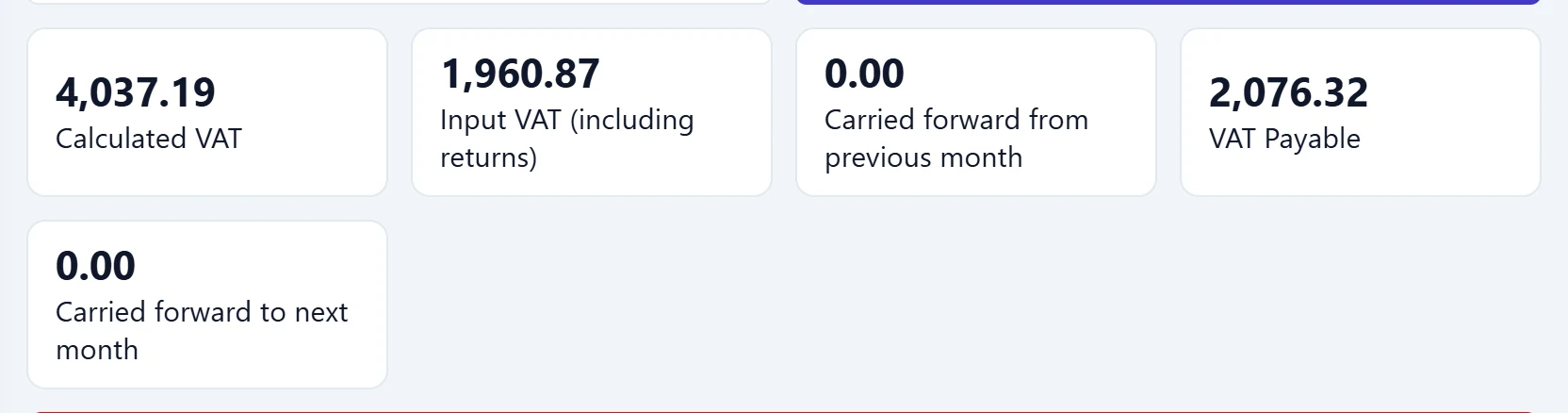
- 14,037.19 VAT charged on sales.
- 21,960.87 VAT paid on purchases and VAT of sales returns.
- 30.00 VAT carried over from the previous month.
- 42,076.32 VAT payable this month.
- 50.00 Amount carried to next month when input VAT exceeds output VAT.
If the VAT on documents does not match accounts 391 / 191 in the ledger, a red notice appears: there may be unposted or changed documents. Check the to-do list on the Posting screen.
VAT1 tables
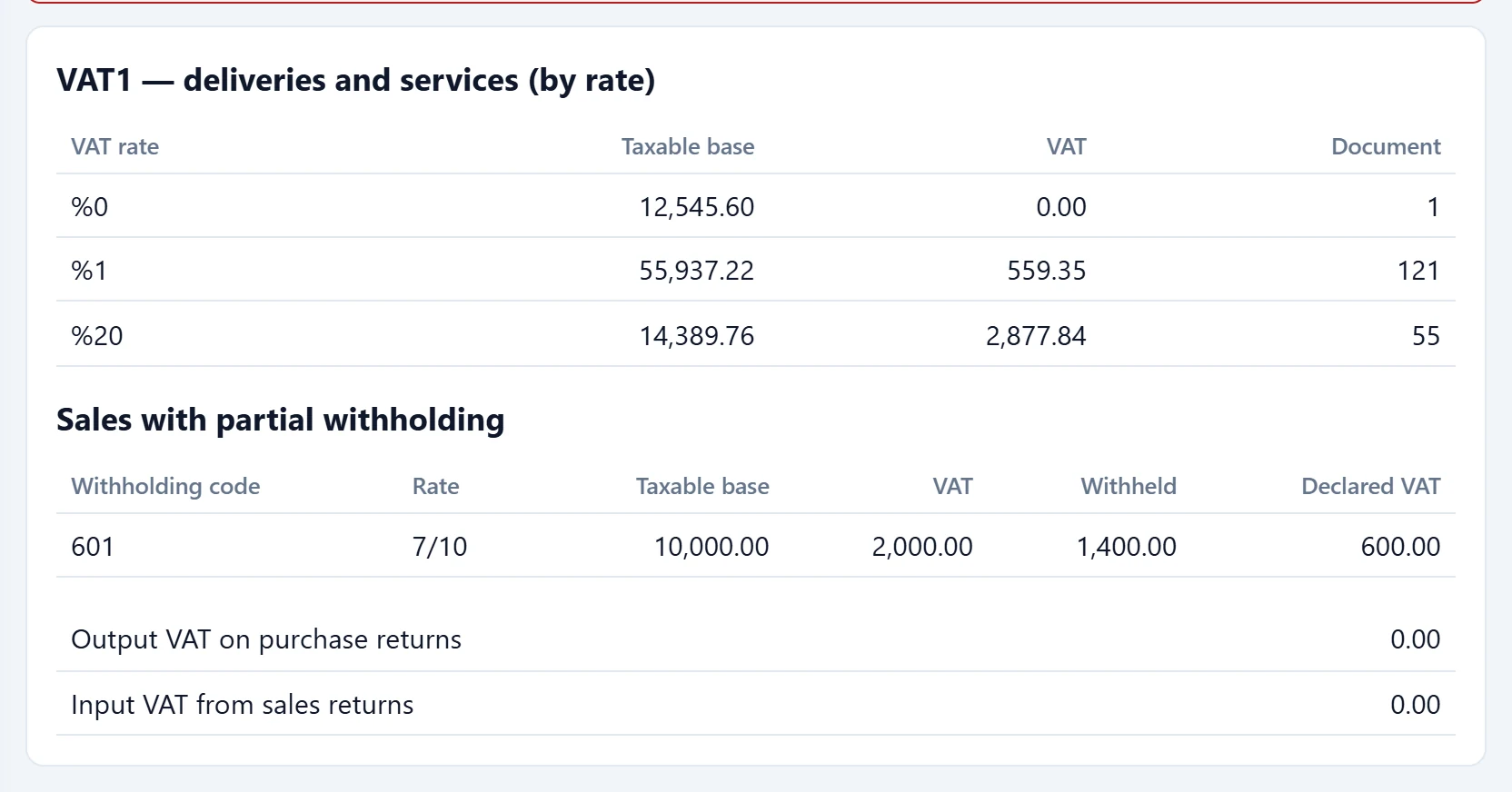
- 1By rate Taxable base, VAT and document count per VAT rate.
- 2Sales with partial withholding Partially withheld sales: withheld and declared VAT.
- 3Returns VAT of purchase and sales returns.
VAT2 and withholding
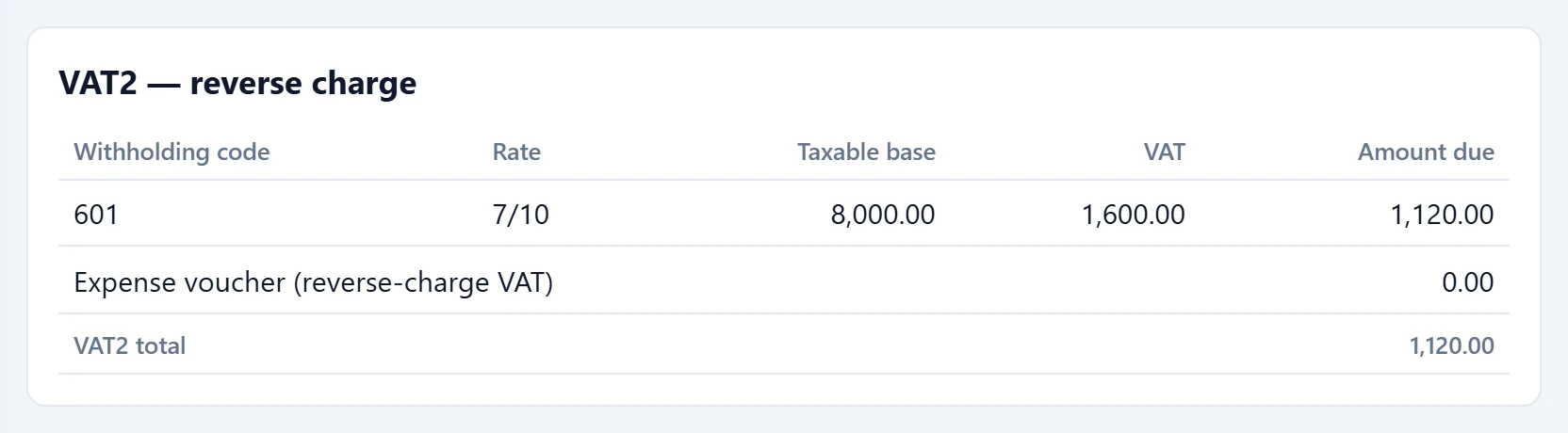
- 1VAT2 — reverse charge VAT withheld on purchases as the responsible party and payable.
- 2VAT2 total Total to enter on the VAT2 return.
The income tax withholding card sums the deductions of self-employment receipts and expense vouchers by withholding type. Payroll withholding is not included.
Month-end VAT offset voucher
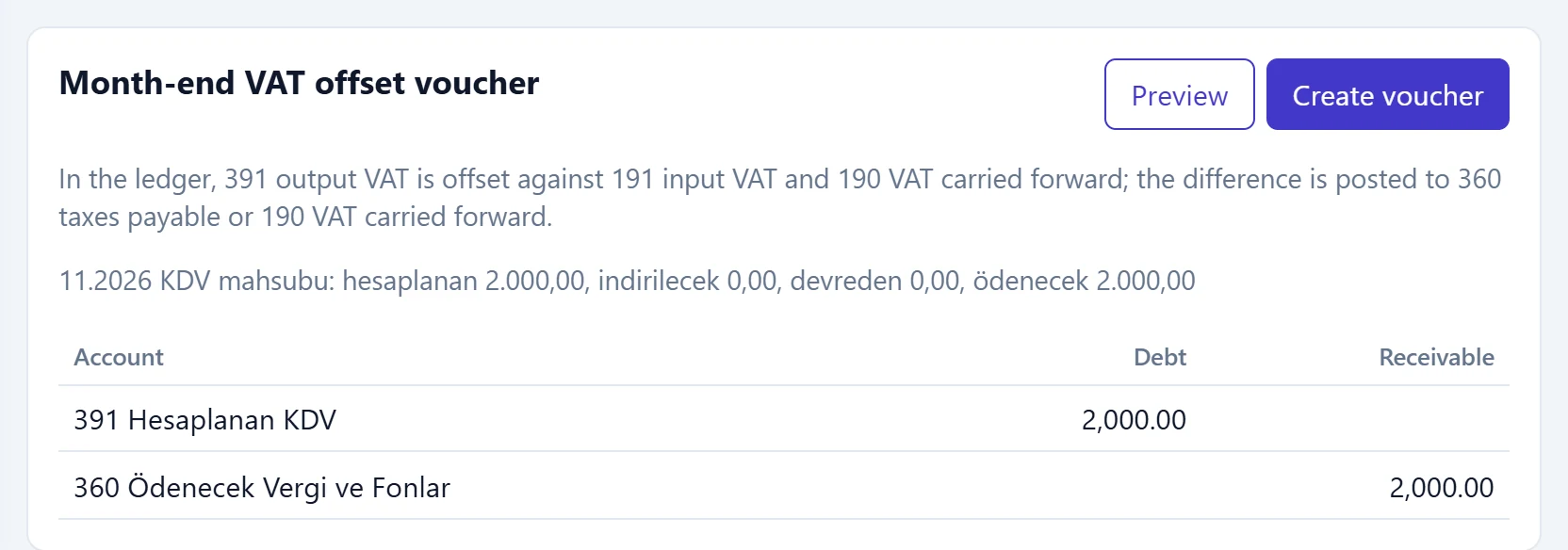
- 1Preview Shows the offset voucher without posting.
- 2Create voucher Posts the offset voucher when the preview has no errors.
- 3Preview Closing of accounts 391, 191, 190 and the remainder to 360 / 190.
Provisional tax
On the Provisional tax tab provisional tax is calculated from the quarter's profit.

- 1Calculate Calculates provisional tax from the general ledger.
| Field | Sign in | Description |
|---|---|---|
| Fiscal year | Choice list | Fiscal period for the provisional tax. |
| Quarter | Choice list | 1st, 2nd or 3rd provisional tax period (no 4th-period return is filed). Options: 1st period (January–March) · 2nd period (April–June) · 3rd period (July–September) |
| Tax rate (%) | Text | Tax rate to apply; defaults to 25%. |
| Non-deductible expenses | Text | Non-deductible expenses added to commercial profit. |
| Deductions and exemptions | Text | Deductions and exemptions subtracted from the base. |
| Paid in previous periods | Text | Provisional tax paid in earlier quarters of the year; deducted from the payable. |
The result table shows the income statement group totals, commercial profit, non-deductible expenses and deductions, the tax base and the provisional tax payable. Period-end closing vouchers are ignored; run the period-end currency revaluation first.
VAT return: step by step
- Post the month's documents.
- Choose the Month and click Calculate; if a red notice appears, resolve the difference first.
- Enter the amounts from the VAT1, VAT2 and withholding tables on the return.
- On the month-end VAT offset card click Preview, then Create voucher.
The offset voucher is based on the 391 / 191 / 190 balances in the ledger. If documents are added to the month after the voucher was created, run the preview and create the voucher again; it is renewed.
Common messages
| Message | Cause | Solution |
|---|---|---|
| Ledger and documents do not match: output VAT in the ledger …, input VAT …. Some documents may be unposted or changed (check on the Posting screen). | Document VAT differs from the vouchers. | Post the documents. |
| No VAT transactions this month. | No 391 / 191 / 190 movements in the month. | No offset voucher needed. |
| Voucher unbalanced: debit …, credit …. | The offset lines could not be balanced. | Check the account balances in the trial balance. |