
 AsyaTicari
 AsyaRestoran
 AsyaOtel
 AsyaCrm
 AsyaKlinik
 AsyaSpor
 AsyaSSH
 AsyaEmlak
 AsyaFilo
 AsyaPuantaj
 AsyaİSG
 AsyaİHD
 Kolay Öğren
AsyaEmlak · Real estate
Permission document
Saving authorization documents from sellers / landlords and commission rates.
On Permission document you record the sale / rental authorization from the owner, its period and the commission rates.
asyaemlak · /yetki
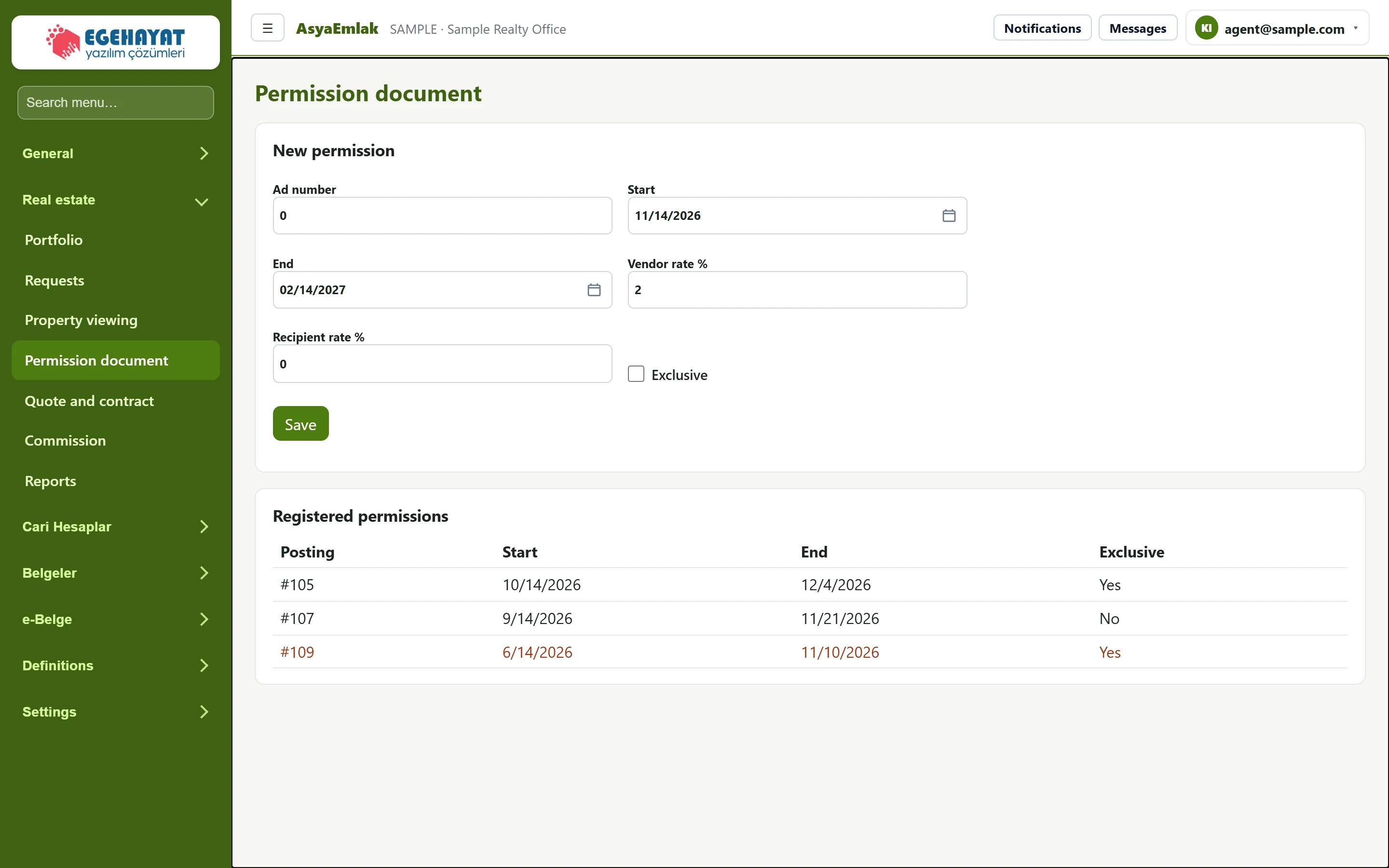
- 1New permission New authorization document.
- 2#109 6/14/2026 11/10/2026 Yes Expired authorization: the row is shown in warning colour.
- 3Exclusive Exclusive authorization (given to one office only).
New permission
Part of the screenNew permission
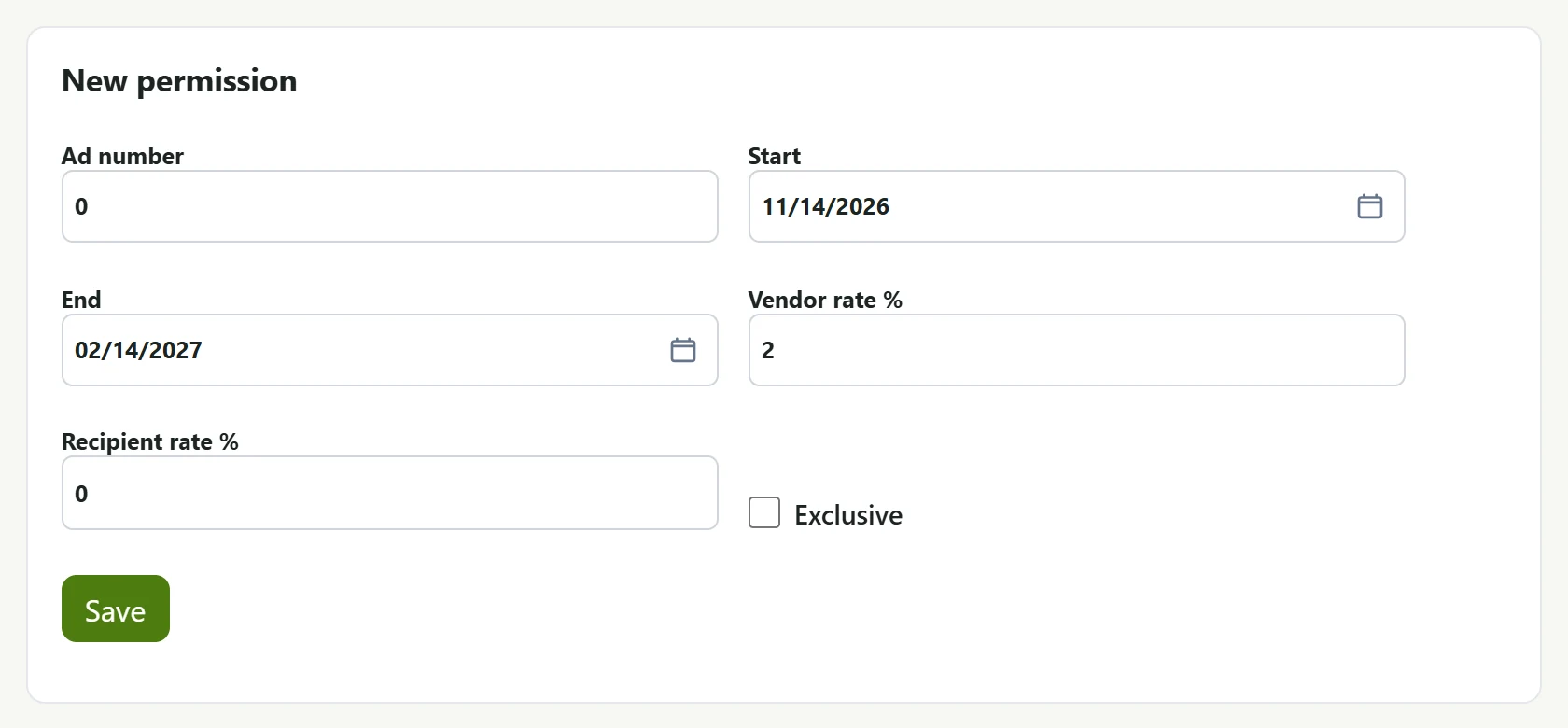
| Field | Sign in | Description |
|---|---|---|
| Ad number | Text | Record number of the listing the authorization belongs to. |
| Start | Text | Start day of the authorization (default today). Placeholder: «mm/dd/yyyy» |
| End | Text | End day of the authorization (default three months later). Placeholder: «mm/dd/yyyy» |
| Vendor rate % | Text | Commission rate charged to the seller; used to calculate commission. |
| Recipient rate % | Text | Commission rate charged to the buyer. |
| Exclusive | Checkbox | Tick if the authorization was given to this office only. |
- In Ad number enter the listing's record number: the number shown with # in the lists (e.g. #105). The EML-… listing number from the portfolio is not entered here.
- Choose Start and End (default: today and three months later).
- Enter Vendor rate % (seller rate, default 2%) and, if needed, Recipient rate % (buyer rate).
- Tick Exclusive if the authorization was given only to your office.
- Press Save.
Registered permissions
The table shows each authorization's listing (#), Start, End and Exclusive. Authorizations past their end date are shown in warning colour. Those ending in 14 days or less appear in the Expiring permissions card on Today.
When a contract is saved, the commission is calculated with the Vendor rate % of the listing's latest authorization; without an authorization 2% is used.
Common messages
| Message | Cause | Solution |
|---|---|---|
| Permission saved. | The authorization was saved. | — |
| No record found. | The listing was not found or you may not see it. | Check Ad number. |