
 AsyaTicari
 AsyaRestoran
 AsyaOtel
 AsyaCrm
 AsyaKlinik
 AsyaSpor
 AsyaSSH
 AsyaEmlak
 AsyaFilo
 AsyaPuantaj
 AsyaİSG
 AsyaİHD
 Kolay Öğren
AsyaEmlak · Real estate
Commission
Commission list and issuing a service receipt for a commission.
The Commission screen lists the office's commission records and issues a service receipt for each. Commissions are opened as drafts when a contract is saved (Quote and contract).
asyaemlak · /komisyon
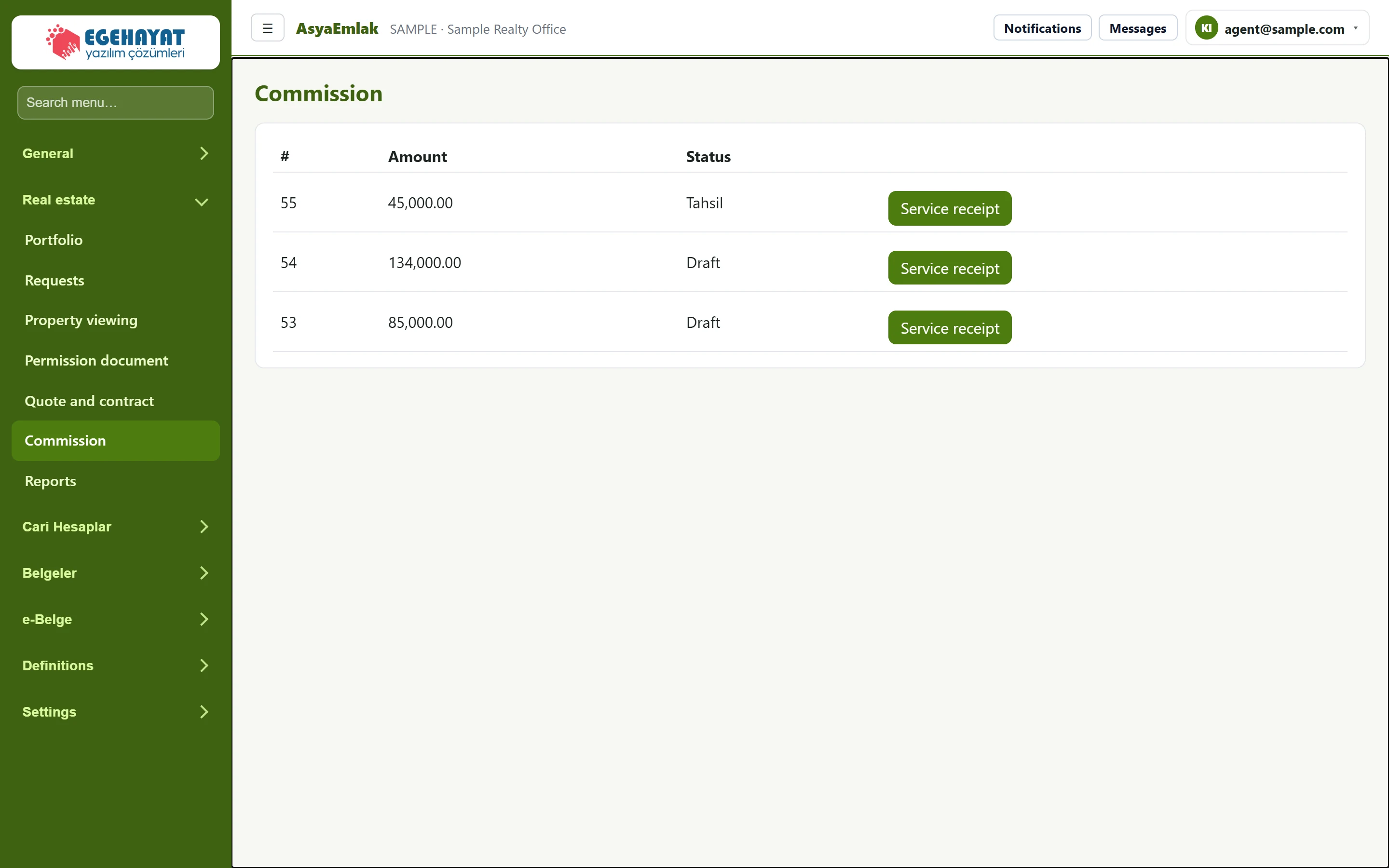
- 1Amount Commission amount (TRY).
- 2Status Status: draft; accrued once a service receipt is issued.
- 3Service receipt Creates a posted service receipt document for the commission amount.
- The table shows the commission's record number (#), Amount and status.
- Press Service receipt in the row. A posted service receipt document for the commission amount, described as real estate commission, is created and the commission's status becomes accrued.
- You can find the document under the Documents menu.
The Service receipt button creates a new document every time it is pressed; it is still shown for commissions that already have a receipt. Do not press it twice for the same commission; cancel a document created by mistake on the Documents screen.
Commissions that are not collected are listed in the Commission card on Today.