
 AsyaTicari
 AsyaRestoran
 AsyaOtel
 AsyaCrm
 AsyaKlinik
 AsyaSpor
 AsyaSSH
 AsyaEmlak
 AsyaFilo
 AsyaPuantaj
 AsyaİSG
 AsyaİHD
 Kolay Öğren
AsyaCrm · Definitions
Employee
Adding and editing the company's staff list used when assigning tasks and activities.
The Employee screen is the single list of people in the company. The person assigned to a task or activity is chosen from this list. A person exists only once per company: adding the same e-mail again does not create a new record but updates the existing person.
asyacrm · /tanimlar/personel
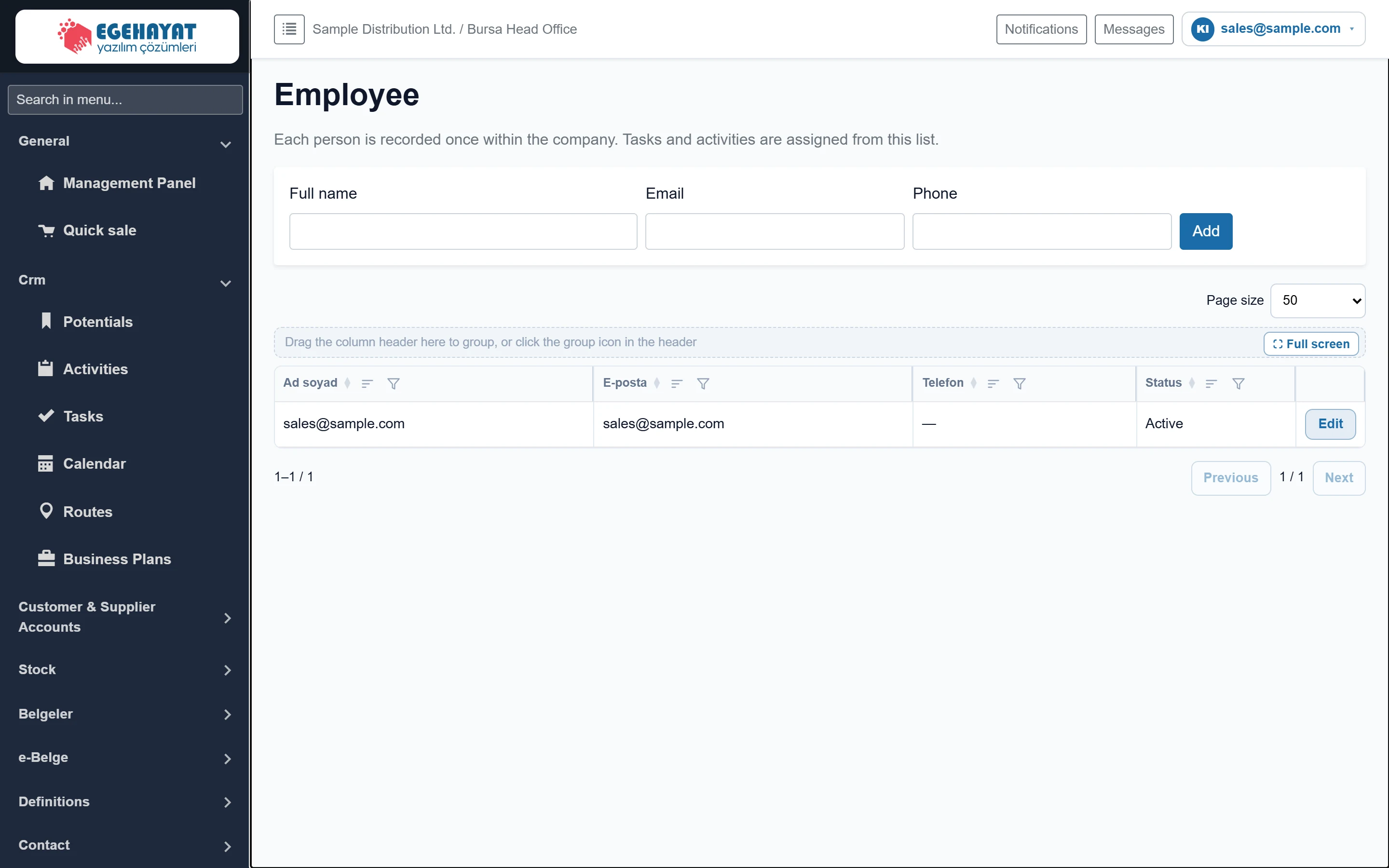
- 1Employee The single list of people in the company.
- 2Employee form Form for adding and editing people.
- 3Employee list This text appears while the list is empty; added people are listed here in a grid.
Adding a person: step by step
Part of the screenEmployee form

- 1Add Adds the person; becomes “Save” when editing.
| Field | Sign in | Description |
|---|---|---|
| Full name | Text | First and last name. Required; max. 200 characters. |
| Text | Work e-mail. If a person with this e-mail exists, no new record is created; the existing person is updated. | |
| Phone | Text | Mobile or work phone (optional). |
- Enter the full name; e-mail and phone are optional.
- Click Add. “Employee saved.” appears, the person is added to the list below and the form is cleared.
Editing a person
- Click Edit on the person's row. The data is loaded into the form and the button becomes Save.
- Make the change and click Save; click the cancel button next to it to discard.
You can also add field staff without a user account; they can still be assigned to tasks and activities.
Common messages
| Message | Cause | Fix |
|---|---|---|
| Full name is required. | The name is empty. | Enter the name and try again. |
| Employee not found. | The person was deleted meanwhile. | Reload the page. |
| Company not selected. | The session has no company. | Sign out and sign in again. |