
 AsyaTicari
 AsyaRestoran
 AsyaOtel
 AsyaCrm
 AsyaKlinik
 AsyaSpor
 AsyaSSH
 AsyaEmlak
 AsyaFilo
 AsyaPuantaj
 AsyaİSG
 AsyaİHD
 Kolay Öğren
AsyaCrm · Settings
Subscription cart
The company's active product, module, integration and feature items, user count, amount paid / due in the period, deactivating items and paying in the common cart.
The Subscription cart lists the products, modules, integrations and features your company uses. Prices are per user and calculated for the period. Payment is not completed on this screen but in the common cart at asyaplatform.com.
asyacrm · /ayarlar/abonelik
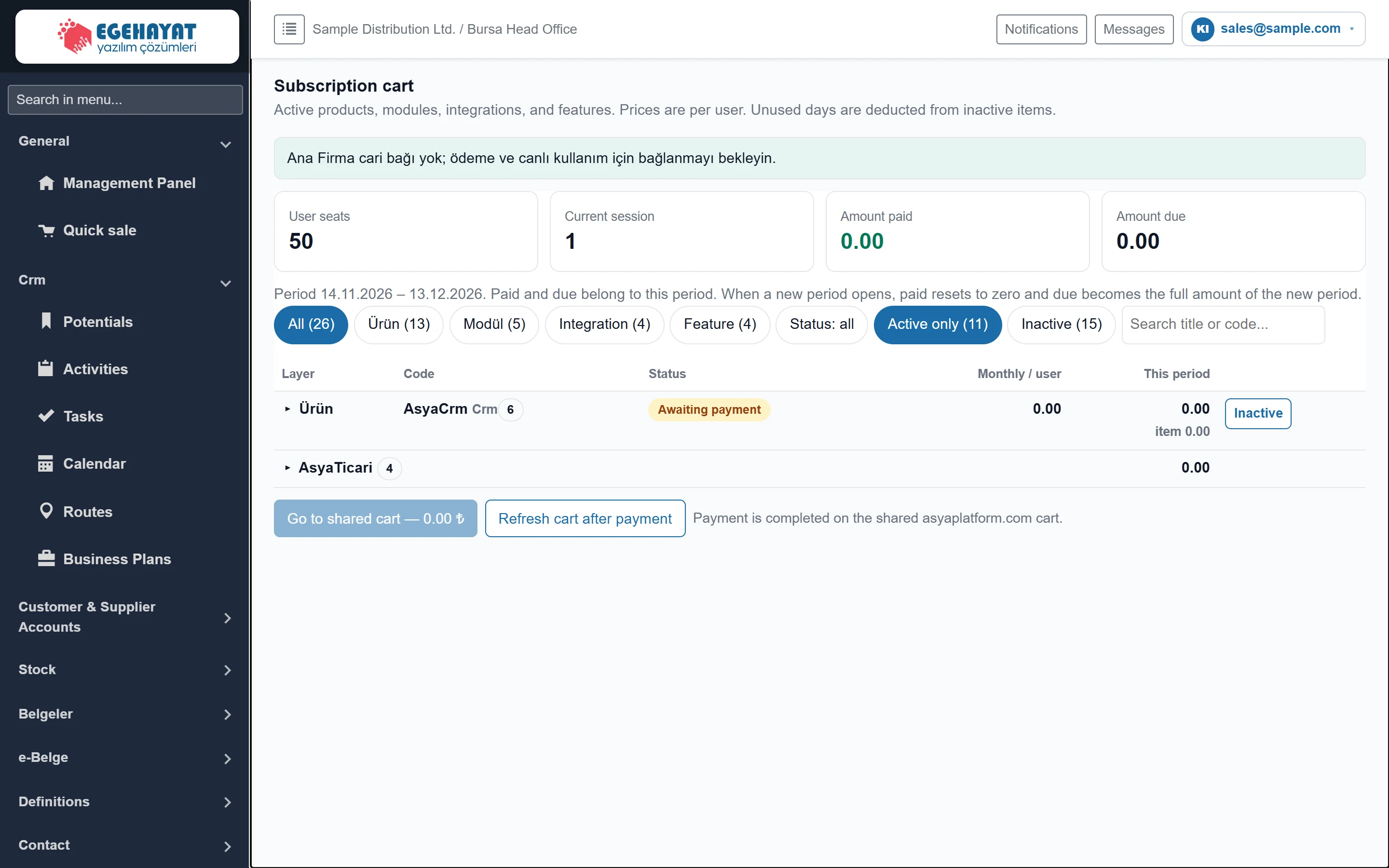
- 1Summary User count, current sessions, paid and due amount.
- 2Filters Filtering by layer, status and text.
- 3Items Product, module, integration and feature items.
- 4Go to shared cart — 0.00 ₺ Goes to the common cart if an amount is due.
Summary and filters
Part of the screenSummary and filters
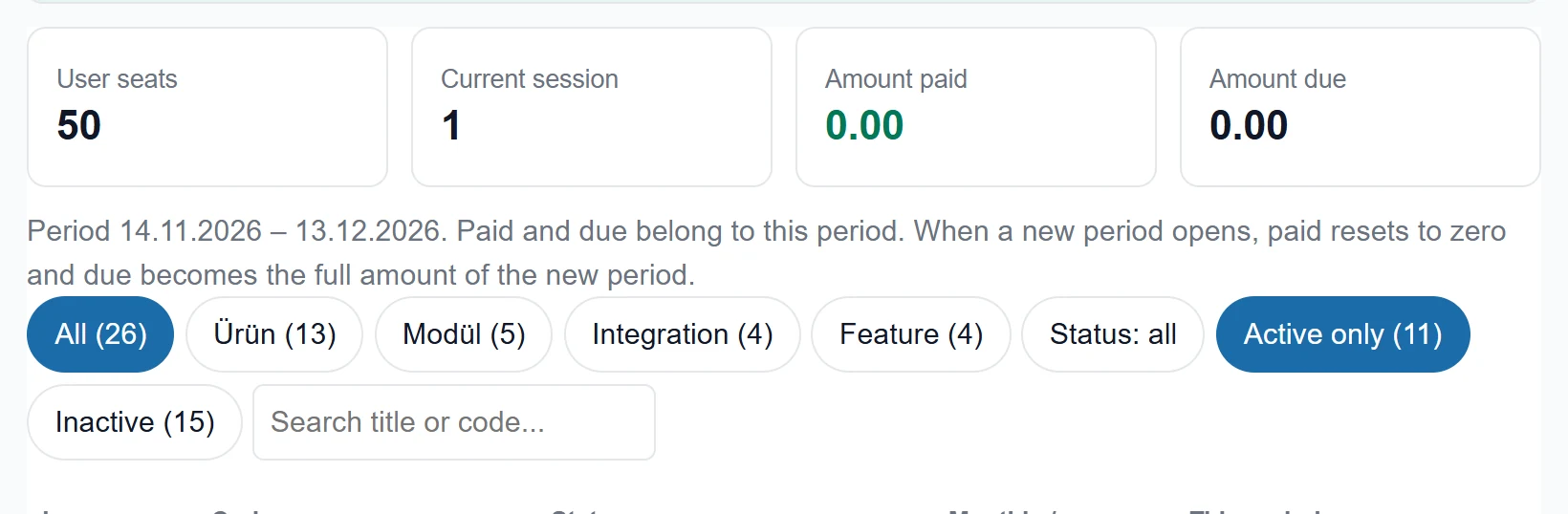
- 1User seats Licensed user (seat) count of the company.
- 2Current session Number of sessions open right now.
- 3Amount paid Amount paid this period.
- 4Amount due Amount due this period.
- 5All (26) All items; the buttons next to it filter by layer.
- 6Search Filters by title or code.
- User seats: licensed user (seat) count; open sessions at the same time cannot exceed it.
- Current session: number of sessions open now.
- Amount paid / Amount due: belong to the current period. When a new period opens, paid is reset and due becomes the full amount of the new period. If VAT applies, VAT and the total incl. VAT are shown too.
- Filter buttons separate items by layer (Product, Module, Integration, Feature) and status (Only active, Inactive); the search box filters by title or code.
Subscription items
Part of the screenSubscription items
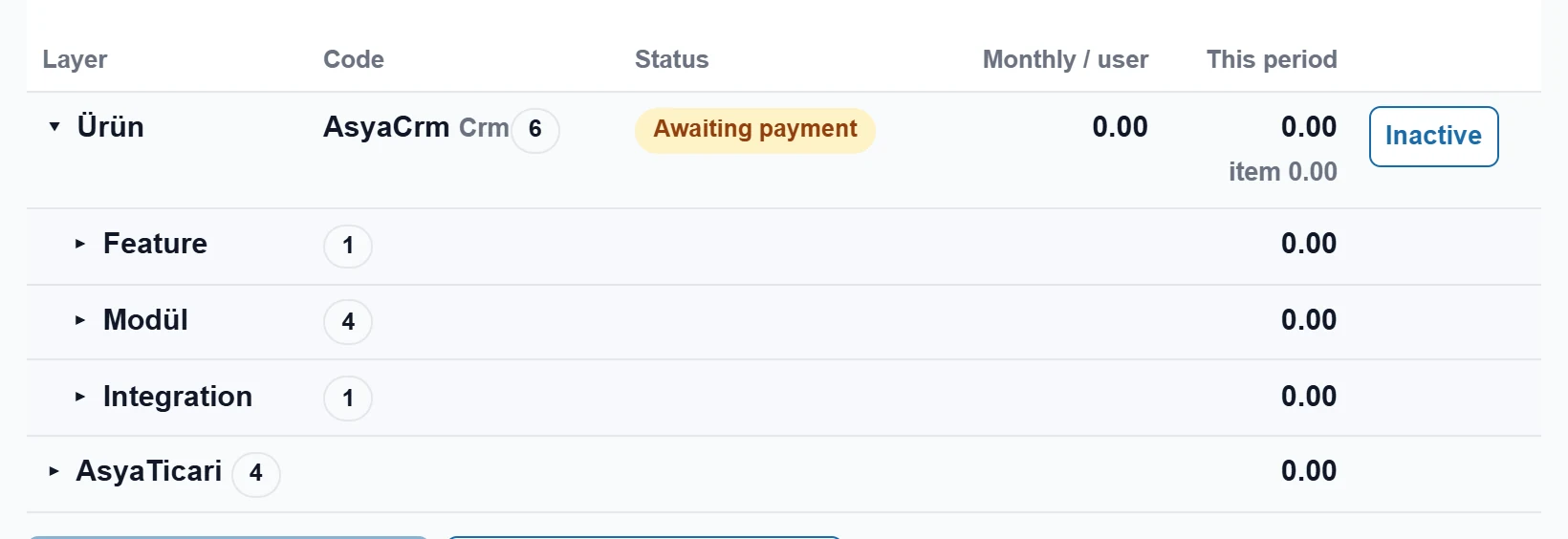
- 1Group Product row; ▸ / ▾ opens the sub-items.
- 2Status Active, awaiting payment or inactive.
- 3Inactive Deactivates / reactivates the item.
Items are shown as a tree per product: press ▸ on a product row to open its feature, module and integration items. The Status column shows whether an item is active, awaiting payment or inactive.
- Inactive: deactivates the item; unused days of the item are credited.
- Active: re-enables an inactive item; it becomes usable after payment ("added — opens after payment").
Deactivating a product, module or feature can close the related screens. Before deactivating, check who uses that screen.
Payment
Part of the screenPayment

- 1Go to shared cart — 0.00 ₺ Goes to the common cart if the amount due is above zero.
- 2Refresh cart after payment Reloads the cart after payment.
- If the Amount due is above zero, press Go to shared cart (or Pay from the shared wallet if you have an account link).
- Complete the payment in the common cart at asyaplatform.com.
- Return to this screen and press Refresh cart after payment. A "payment recorded" message appears and the items become active.
Common messages
| Message | Cause | Solution |
|---|---|---|
| Ana Firma cari bağı yok; ödeme ve canlı kullanım için bağlanmayı bekleyin. (No main company account link.) | Your company is not yet linked to the dealer / platform account. | Talk to your dealer; payment opens once linked. |
| Payment not visible yet; try again in a few seconds. | Confirmation from the payment provider has not arrived. | Wait a little and press Refresh cart after payment again. |
| Checkout signing key is not configured. | Server payment setting is missing. | Report to support. |
| No company selected. | The session has no company. | Sign out and sign in again. |